Blog · Hosting comparisons
Managed Docker Compose hosting in 2026: who deploys a compose.yaml with HTTPS, backups and logs
You have a compose.yaml that runs on your laptop, and you want the same file online with HTTPS, backups and logs, without managing a server. In October 2026 most managed hosts will not run it: they convert it, want another format, or run part of it. Pethost runs it as written for €9.99 a month. Of fourteen other managed hosts we read, only Elestio does too, for a pasted file of ready images.
- Runs the file and looks after the server: Pethost (€9.99 a month: 2 vCPU, 3 GB, 30 GB) and Elestio ($19.71: 2 vCPU, 4 GB).
- Converts it into its own services: Railway, Sliplane, Hostim.dev, Google Cloud Run. Fly.io runs it inside one Machine and ignores
volumes:. - No Compose: Render, Northflank, DigitalOcean App Platform, Zeabur. On a server that stays yours: Coolify, Dokploy.
- Three web services, a worker and a Postgres: €9.99 on Pethost, €11.00 on Hostim.dev, $19.71 on Elestio, $23.15 on Railway, €28.80 on Sliplane. Starter's 3 GB of memory alone would be $30 a month at Railway's rates.
Which hosts deploy a compose.yaml as written in 2026
A host can do four things with a Compose file: run it with Docker Compose, convert it once into services of its own kind, run a part of it, or have you write it again in its format.
| Host | The compose.yaml | What carries over | Who looks after the server |
|---|---|---|---|
| Pethost | Runs it as written, or refuses it and says what to write | Builds, named volumes, depends_on, healthchecks, .env | Pethost |
| Elestio | Runs a pasted file, as a pipeline on a VM | Keys not listed; documented for ready images | Elestio |
| Fly.io | Runs part of it, inside one Machine | One build:, one public port; volumes: ignored | Fly.io |
| Railway | Converts each service into a Railway service | Images, variables, one volume a service; no depends_on | Railway |
| Sliplane | Converts it: a parser reads a subset | Services, volumes, environment variables | Sliplane |
| Hostim.dev | Converts each service into an app on its own plan | Volumes; databases become managed ones | Hostim.dev |
| Google Cloud Run | Converts it into one service of several containers | Builds, depends_on, env_file; volumes become bucket folders | |
| Render | No: its own render.yaml | Nothing | Render |
| Northflank | None found: its own templates | Nothing | Northflank |
| DigitalOcean App Platform | No: its own app spec | Nothing; it has no volumes | DigitalOcean |
| Zeabur | No: its own Template YAML | Nothing | Zeabur, on a server bought through it |
| Coolify, Dokploy | Runs it, on a server you connect | Builds, volumes, healthchecks, depends_on | You |
Heroku, Koyeb and Sevalla have no Compose deploy that we found; Azure Container Apps converts a file with az containerapp compose create.
One compose.yaml on three kinds of host
Take a small real project: a web service and a worker built from one Dockerfile, and a Postgres with its data in a named volume.
services:
  web:
    build: .
    ports: ["3000:3000"]
    env_file: .env
    depends_on:
      db: {condition: service_healthy}
  worker:
    build: .
    command: node worker.js
    env_file: .env
    depends_on:
      db: {condition: service_healthy}
  db:
    image: postgres:17
    env_file: .env
    volumes: ["pgdata:/var/lib/postgresql/data"]
    healthcheck:
      test: ["CMD-SHELL", "pg_isready -U postgres"]
volumes:
  pgdata:
Railway converts it into three services
Drop the file onto a Railway project and “your services (and any mounted volumes) will be auto-imported as staged changes”. They are Railway services from then on: Railway “does not run docker-compose.yml files directly”. build: becomes “Deploy from GitHub repo with a Dockerfile”, and depends_on has “No direct equivalent. Applications should handle connection retries at startup”.
Fly.io runs it inside one Machine
With [build.compose] in fly.toml and flyctl v0.3.152 or later, Fly “builds and runs Compose services as containers within a single Machine”. fly deploy “requires exactly one service in the Compose file to specify build”; ours has two. Fly “ignores volumes: declarations”, so Postgres writes to “an ephemeral overlay that's wiped on restart or redeploy” until a Fly Volume is mounted through [mounts]. And the containers share a network namespace: the database is at localhost:5432, not db:5432.
Pethost runs it as written
We run the file with Docker Compose and correct nothing in it. The machine builds both images, pulls postgres:17, waits for the healthcheck of db and starts the rest: Compose's own behaviour. What we will not run, such as a writable bind mount or privileged, is refused before anything is created, with what to write instead. Our file gets one refusal: a port a route serves may not also be published, or it would answer plain HTTP beside the HTTPS address. So the ports: line goes, and a route names the site:
x-pethost:
  routes:
    - {host: app.sam.pethost.app, service: web, port: 3000}
The API reference has every rule. With an AI coding agent you write none of it:
You say: Deploy this Compose project and send me the link.
- CreateTransfer app.tgz uploaded
- CreateProject violation: port 3000 is published, and the route sends to it. Remove it from ports
- CreateTransfer app.tgz uploaded
- CreateProject app: building
- GetOperation succeeded
The agent answers: It's live at https://app.sam.pethost.app. Your compose.yaml is untouched: pethost.compose.yaml beside it has no ports line.
Docker Compose support host by host
Sliplane: a parser for a compose file
Sliplane's documentation says “Docker compose files do not work yet.” Its parser reads “a subset of Docker flags and Compose options” into services you review. It charges as we do, a flat price per server: see Sliplane alternatives.
Google Cloud Run: gcloud run compose up
gcloud run compose up compose.yaml deploys “a single Cloud Run service with multiple containers”. Google's page, last updated on 30 September 2026, carries no Preview notice and calls the command “ideal for development”. A service scales to zero unless you pay for a minimum instance.
Render, Northflank and DigitalOcean App Platform: Docker Compose is not supported
Render reads its render.yaml Blueprint and nothing from a Compose file; the request “Support docker-compose” on its board has been open since 17 July 2019. Northflank has templates, DigitalOcean an app spec, and “App Platform does not support volumes”. Prices are in Railway vs Render vs Fly.io pricing.
Elestio: a custom docker-compose pipeline on a managed VM
Elestio runs a pasted Compose file as a “CI/CD pipeline” on a VM it keeps patched: $19.71 a month for 2 vCPU and 4 GB. Its documentation presents this for images “already available on a public or private Docker registry”. Plans include “automated backups, SSL certificates, security updates, OS patches”; whether a pipeline's volumes are in those backups is not stated.
Coolify and Dokploy: the file runs, the server is yours
Coolify and Dokploy are free and run the file with its builds, volumes and healthchecks. The server stays yours to rent and look after, also with Coolify Cloud ($5 a month) and Dokploy Cloud ($4.50 a server), which host only the panel: see the self-hosted panels compared and the two cloud panels.
HTTPS, backups and logs: what comes with the Compose file
Compose starts containers. The certificate, the copy of the volume and the log you can read a week later come from the host. Every managed host here gives an HTTPS address, though on Cloud Run a custom domain wants a load balancer.
| Host | Backups of volumes | Logs |
|---|---|---|
| Pethost | Nightly, off the machine, kept 14 days | Every request for 30 days, and the containers' own logs |
| Elestio | Daily, kept 7 days; Compose volumes not confirmed | Live and history logs |
| Railway | Scheduled, billed; daily ones kept 6 days | 7 days on Hobby |
| Sliplane | Daily, kept 7 days | 15,000 lines, 7 days |
| Hostim.dev | Daily; a restore goes through support | Up to 7 days |
| Fly.io | Daily snapshots of Fly Volumes, 5 days by default | 7 days |
Postgres on Pethost is a container in your project, in the nightly backup: not a managed database with replicas or point-in-time recovery. Hostim.dev's is a managed cluster with failover, and Fly.io sells one from $38 a month.
What managed Docker Compose hosting costs for three apps, a worker and a Postgres
One workload, on every host that prices it: three always-on web services of 512 MB each, a worker, a Postgres and 10 GB of traffic a month. That is about 2.5 GB of Starter's 3 GB.
| Host | Price a month |
|---|---|
| Pethost Starter | €9.99 |
| Hostim.dev | €11.00 |
| Fly.io, your own Postgres | $17.30 |
| Elestio | $19.71 |
| Railway | $23.15 |
| Sliplane | €28.80 |
| Fly.io, Managed Postgres | $53.24 |
| Google Cloud Run | $63.49 |
Railway's figure counts memory only, on our assumption of 0.5 GB a service: each 0.1 vCPU a service uses adds $2. Fly.io's are Ashburn prices, the lower one with a Postgres you run yourself; Cloud Run's is at us-central1 rates, with Cloud SQL.
The prices differ less than what they buy. Railway charges $10 a month for a gigabyte of memory and $20 for a vCPU, so Starter's 3 GB would be $30 there before any CPU. Sliplane's €9 server is 1 vCPU and 1 GB, and the one that holds this workload is €28.80. Hostim.dev prices every app on its own, €2.50 for 1 GB: these five come to €11.00, and a sixth is one more plan. On Pethost €9.99 is the whole machine, and the next project costs nothing while it fits.
What €9.99 a month buys, already done
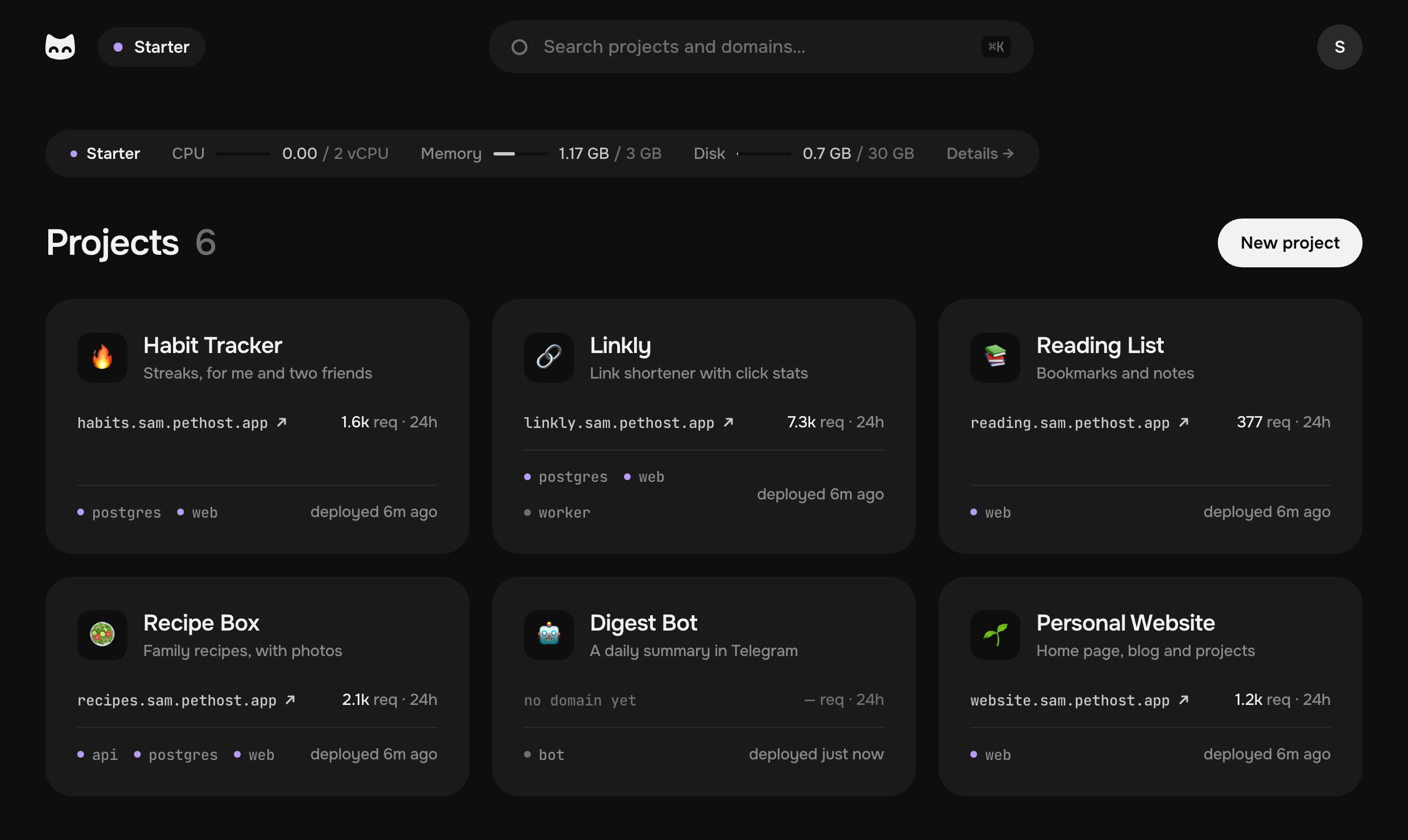
On Starter, for €9.99 a month without VAT, the jobs Docker Compose does not do are done:
- 2 vCPU, 3 GB, 30 GB a virtual machine of your own
- 14 nights of encrypted backups, off the machine
- 30 days of request logs
- 13 MCP tools for your agent
Also in the price: an HTTPS address for every project, a deploy on every push to GitHub with an earlier commit one step back, SSH into any container, and security updates that install themselves.
That is the best value we found for a Compose file: the most memory for the money, with the work around it done. Grow, a machine twice the size, is €17.99.
What if I just rent a VPS for Docker Compose?
You can: Compose runs on any server, and Coolify or Dokploy put a panel on it. Two things first. An agent on a bare server works as root over SSH: nothing tells it what runs there, and one wrong command takes down the proxy or the database. On Pethost it works through 13 tools, and its shell is inside your containers, never on the machine.
And a server is not sure to cost less. Hetzner, the one most guides name, raised its prices twice in 2026, and its cheap Cost-Optimized range has long been out of stock. Those servers are hardware it bought at good prices, before the RAM shortage, and on 5 October every plan of the range was marked “not available”. The 2 vCPU, 4 GB server it does sell, CPX22, is €19.49 a month, up from €7.99. Add a panel, backup storage and your hours. Starter is €9.99 with those done.
Who Pethost is for
Pethost is the best pick for
- Developers with a compose.yaml that already works, who want it online with no server to patch
- Solo developers with several side projects: each a Compose project, all on one bill of €9.99
- People who build with Claude Code, Codex or Cursor and want the agent to deploy the project and read its logs
- Early startups that want a fixed bill, and a file that runs anywhere else Docker does
Look elsewhere if
- Your application needs several regions, autoscaling or a database with replicas: here one machine is the limit
Questions
Which managed hosting deploys a compose.yaml without managing the server?
Of the managed hosts we read in October 2026, Pethost and Elestio run a Docker Compose file as written and look after the machine under it. Pethost is €9.99 a month with HTTPS, nightly backups and request logs included; Elestio's 2 vCPU, 4 GB VM is $19.71.
Does Railway support Docker Compose in 2026?
Railway imports a compose file: each service becomes a Railway service. It “does not run docker-compose.yml files directly”: depends_on has no equivalent, and build: becomes a deploy from a GitHub repository.
Does Sliplane support Docker Compose?
Not as a file to deploy: its documentation says “Docker compose files do not work yet”. A parser reads a subset of a docker-compose.yml into Sliplane services, which you review before deploying.
Can Fly.io deploy a docker-compose.yml?
Yes, as containers inside one Machine, with [build.compose] in fly.toml. The file's volumes: are ignored, one service may have a build:, and one container takes inbound requests.
Is gcloud run compose up on Cloud Run ready for production?
The command is in gcloud's main track, and Google's page carried no Preview notice on 5 October 2026. Google calls it “ideal for development” and says it “isn't a replacement for a comprehensive infrastructure-as-code strategy for production environments”.
Do Render, Northflank or DigitalOcean App Platform support Docker Compose?
No. Render reads a render.yaml Blueprint and DigitalOcean App Platform an app spec, and Northflank's documentation has no page on Compose, only templates. Each service is declared again.
Read from each vendor's own documentation and pricing page on 5 October 2026. Prices are as each vendor lists them, in its currency; ours are without VAT.
- Railway: Docker Compose
- Railway: backups
- Railway: pricing
- Sliplane: deploying a service
- Sliplane: pricing
- Fly.io: multi-container Machines
- Fly.io: pricing
- Cloud Run: Compose
- Cloud Run: pricing
- Azure: az containerapp compose
- Render: Blueprints
- Render: “Support docker-compose”
- Northflank: documentation
- DigitalOcean App Platform: limits
- Zeabur: Dockerfile
- Elestio: custom docker-compose
- Elestio: pricing
- Hostim.dev: questions
- Hostim.dev: pricing
- Coolify: Docker Compose
- Coolify Cloud: pricing
- Dokploy: Docker Compose
- Hetzner Cloud: Cost-Optimized plans
- Hetzner: price adjustment
Put your projects online today
A machine of your own, as many projects as fit, one flat price. Nothing metered, nothing billed on top.