Managed Valkey in one click, at no extra cost.
A cache, a session store and a queue that Redis clients speak to, on your machine beside your apps. Link an app, see every key in the browser, and get a backup every night.
From €9.99 a month for the machine and all your projects, with no fee per database.
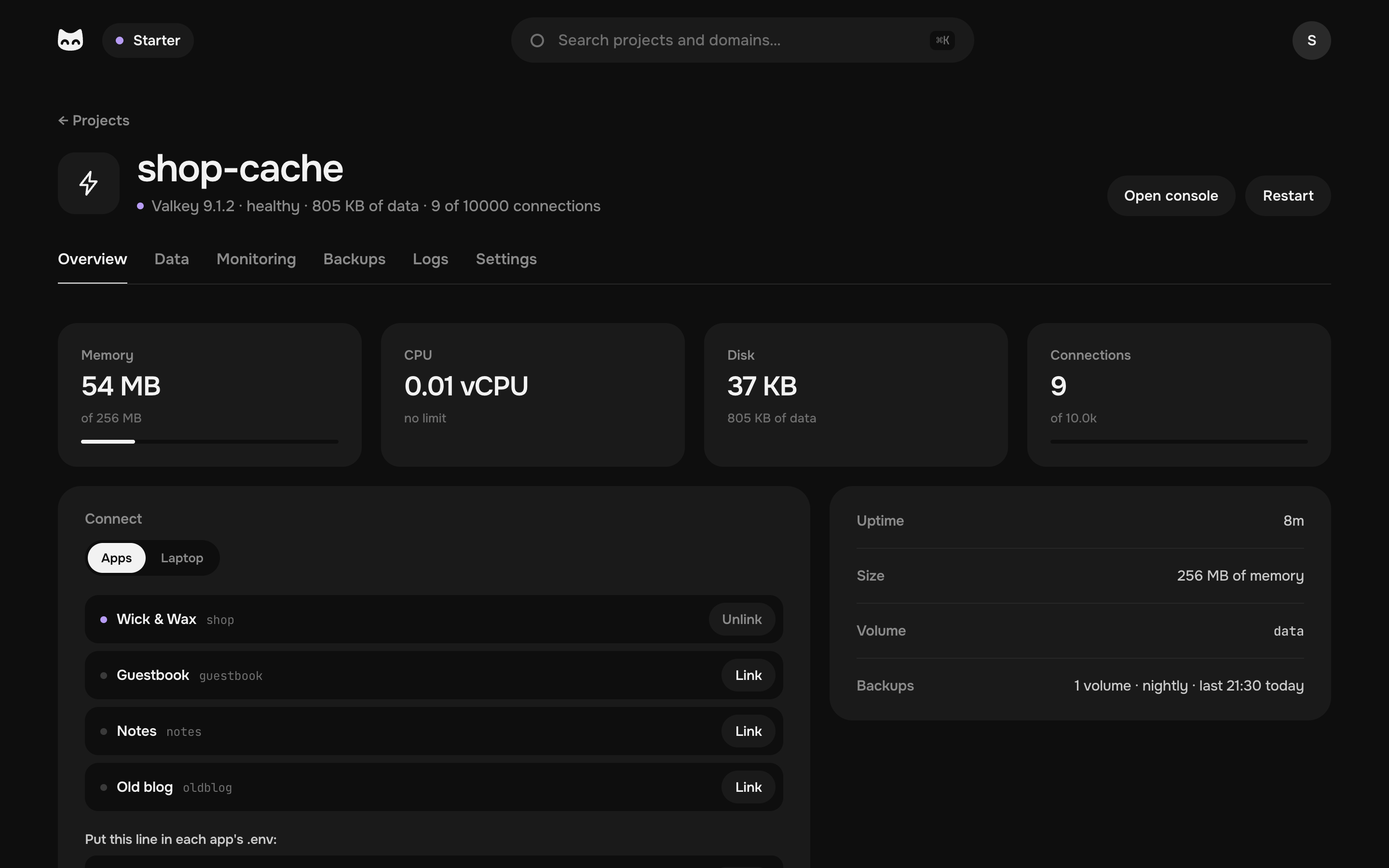
127.0.0.1:6379> SET page:/candles "<html>…" EX 300
OK
127.0.0.1:6379> HGET session:42a0 user_id
"1042"
127.0.0.1:6379> TTL page:/candles
(integer)
127.0.0.1:6379>
What your app keeps at hand.
What a request should not wait for: in memory, on the same machine as your app.
A cache in front of the database
Pages and answers kept for minutes: a visit reads memory instead of running a query.
Sessions that outlive a deploy
Visitors stay signed in while your app restarts or rolls out a new version.
Queues for background jobs
Emails, thumbnails and imports wait for a worker, in the Redis job library your framework uses.
Rate limits and counters
Count each visitor's requests and forget them a minute later, with INCR and EXPIRE.
Rankings that stay sorted
A sorted set keeps the top list in order as the scores change.
Streams and pub/sub
Events for your other services to follow as they happen.
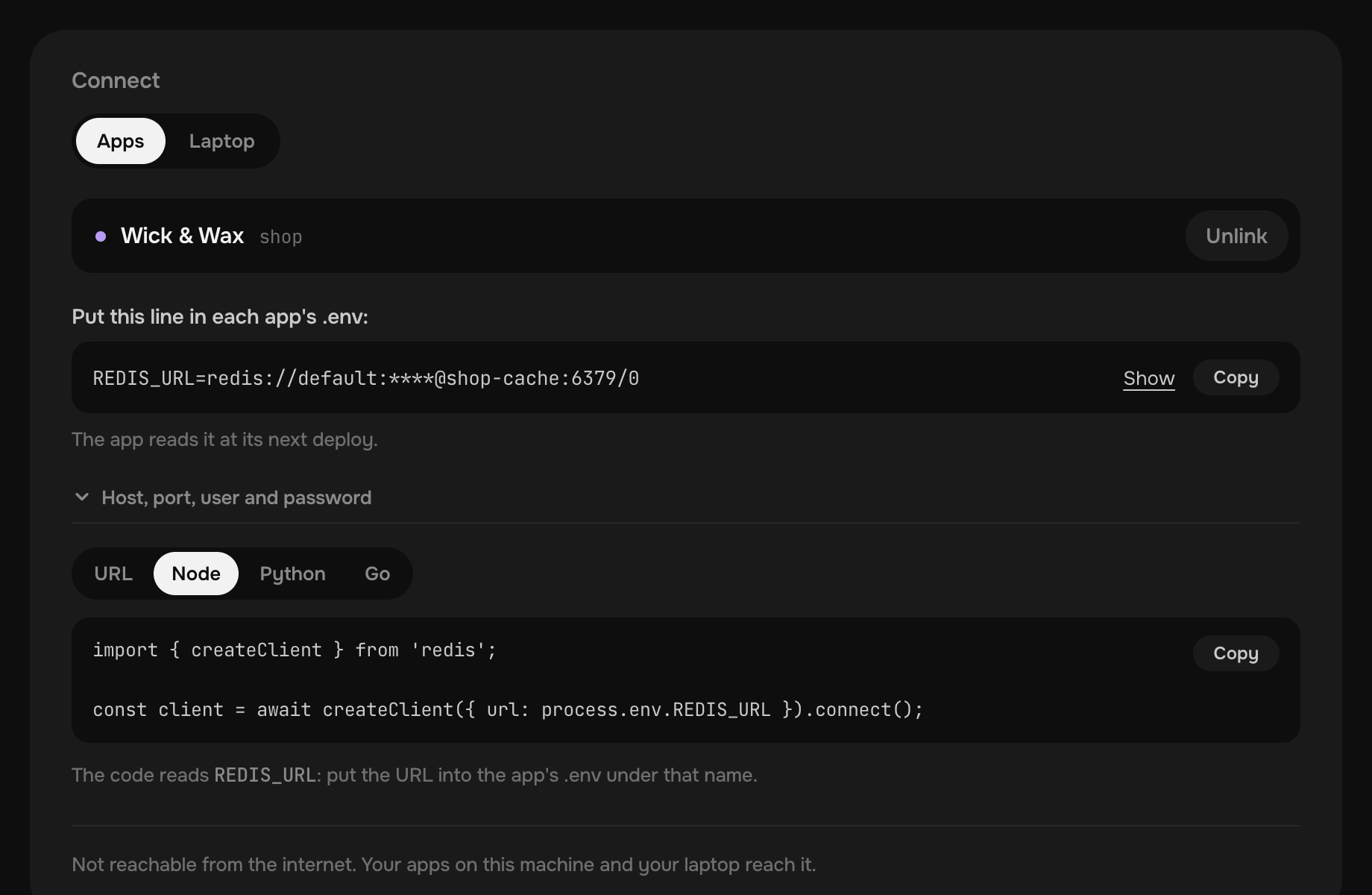
Your Redis client connects as it is.
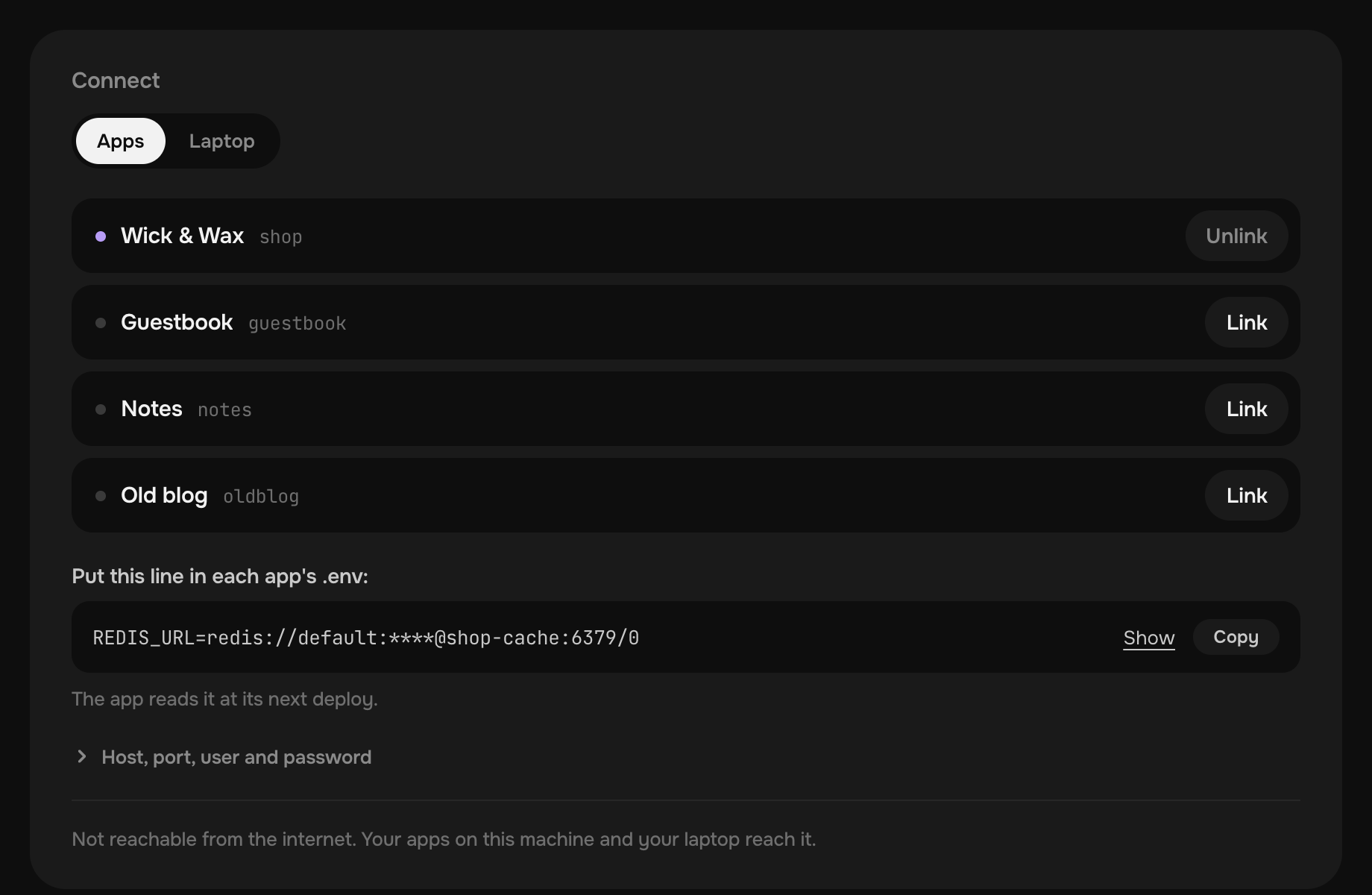
Link an app, and it reaches Valkey by its name. Put one line in its .env, or let your agent do it.
Kept in memory, and on disk.
Pick Valkey in New project, give it a name and a size. The machine writes its files, starts it and watches it.
- Room for its keysFrom 256 MB up to two thirds of your machine's memory. 70% of it holds keys, and the rest leaves room to save them.
- No key dropped to make roomWhen it is full, a write is refused and every key stays. For a pure cache, let it evict old keys in its compose.yaml.
- On disk every secondEach write goes to an append-only file, so a restart or a crash loses a second of writes at most.
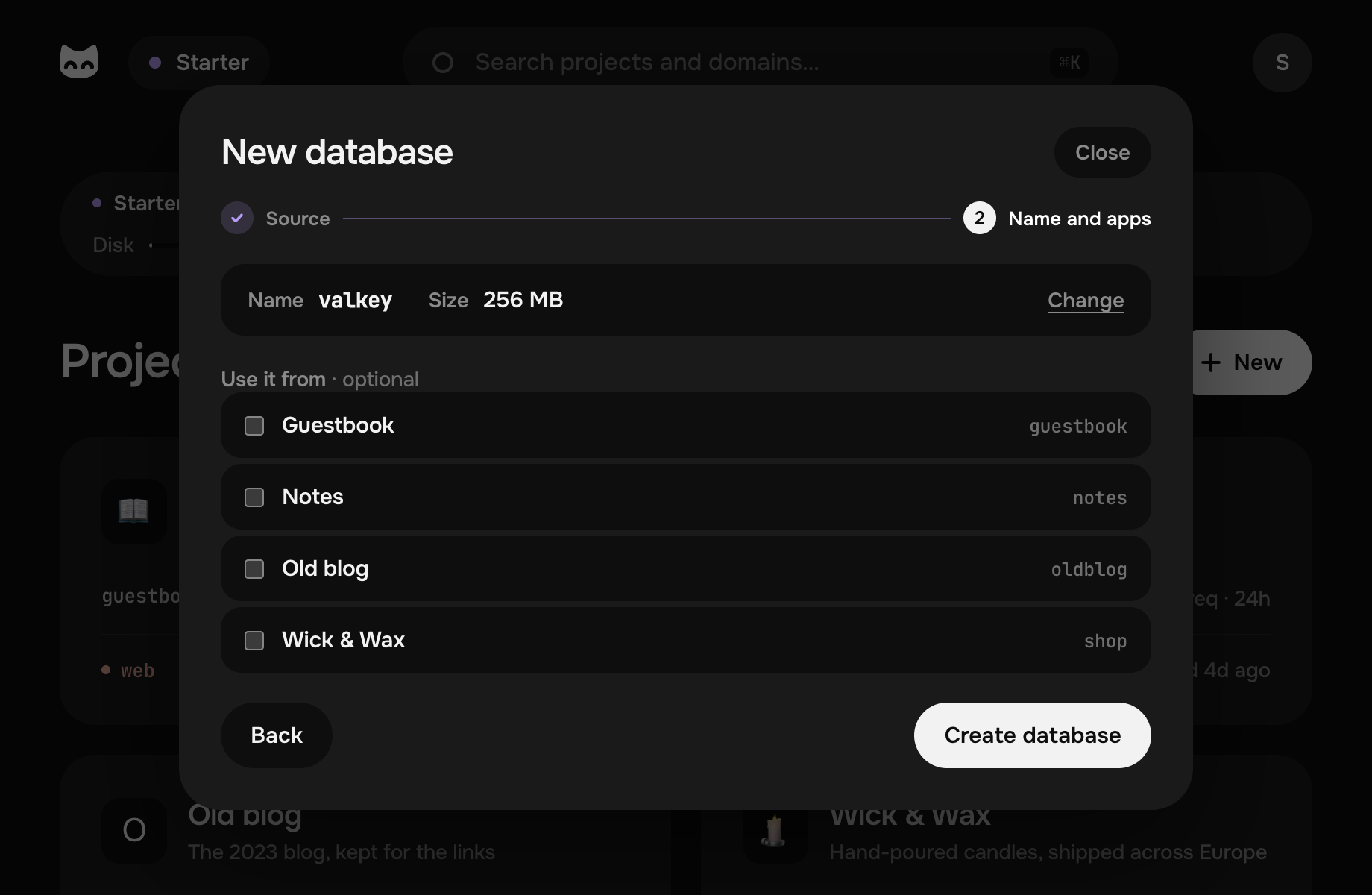
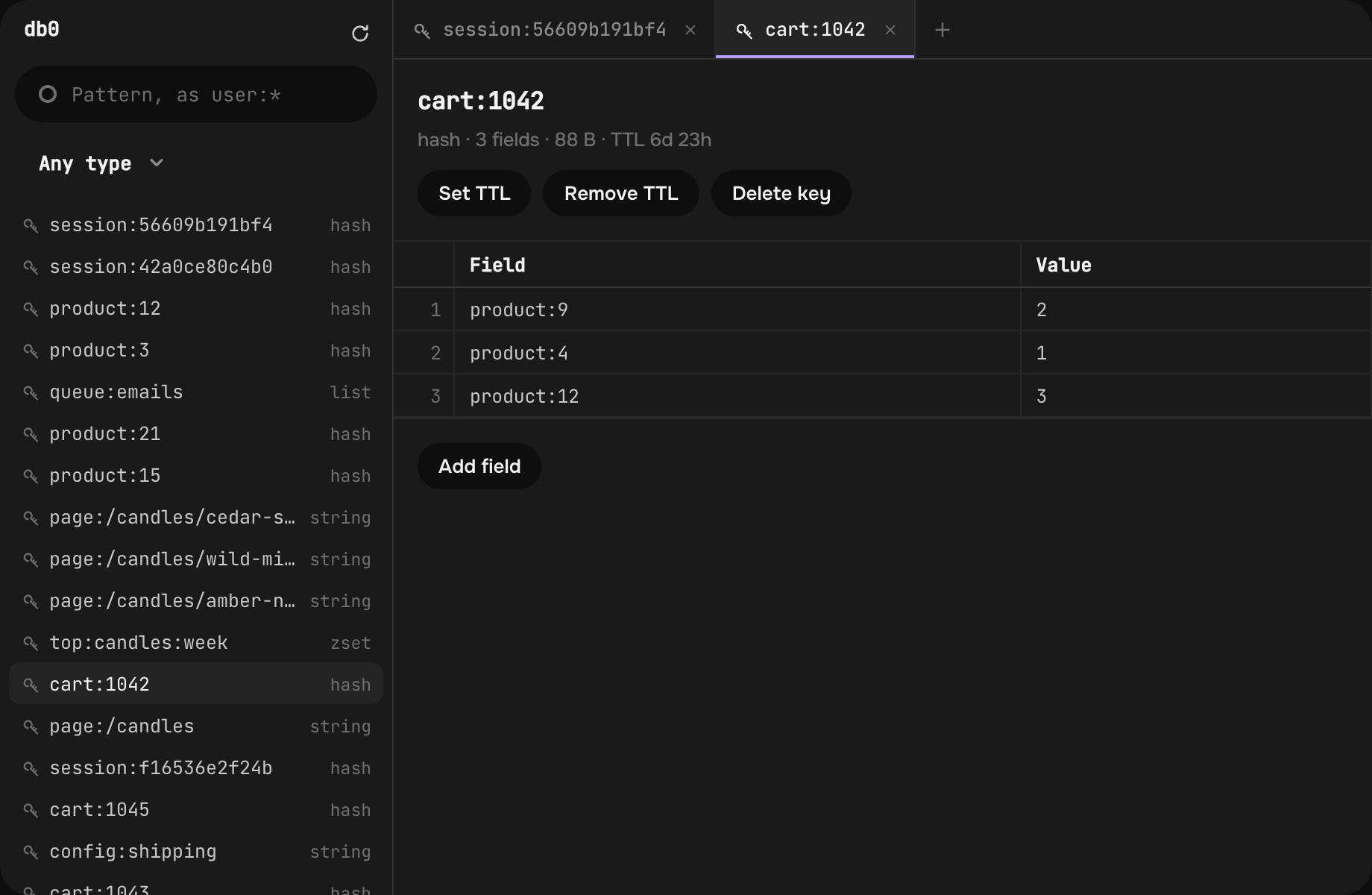
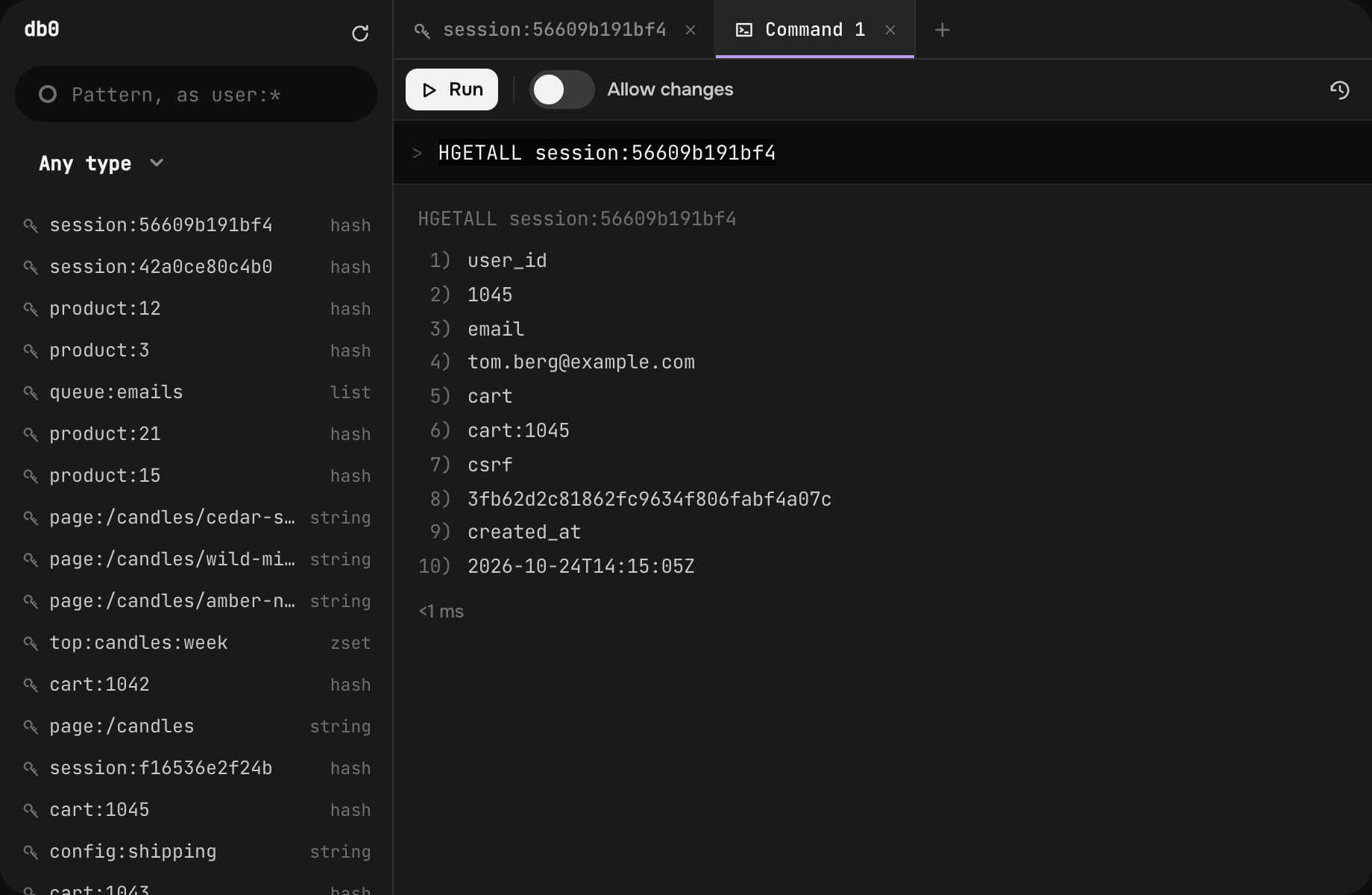
Every key in the browser.
Keys, values and commands, as in a desktop tool, with nothing to install and no port to open.
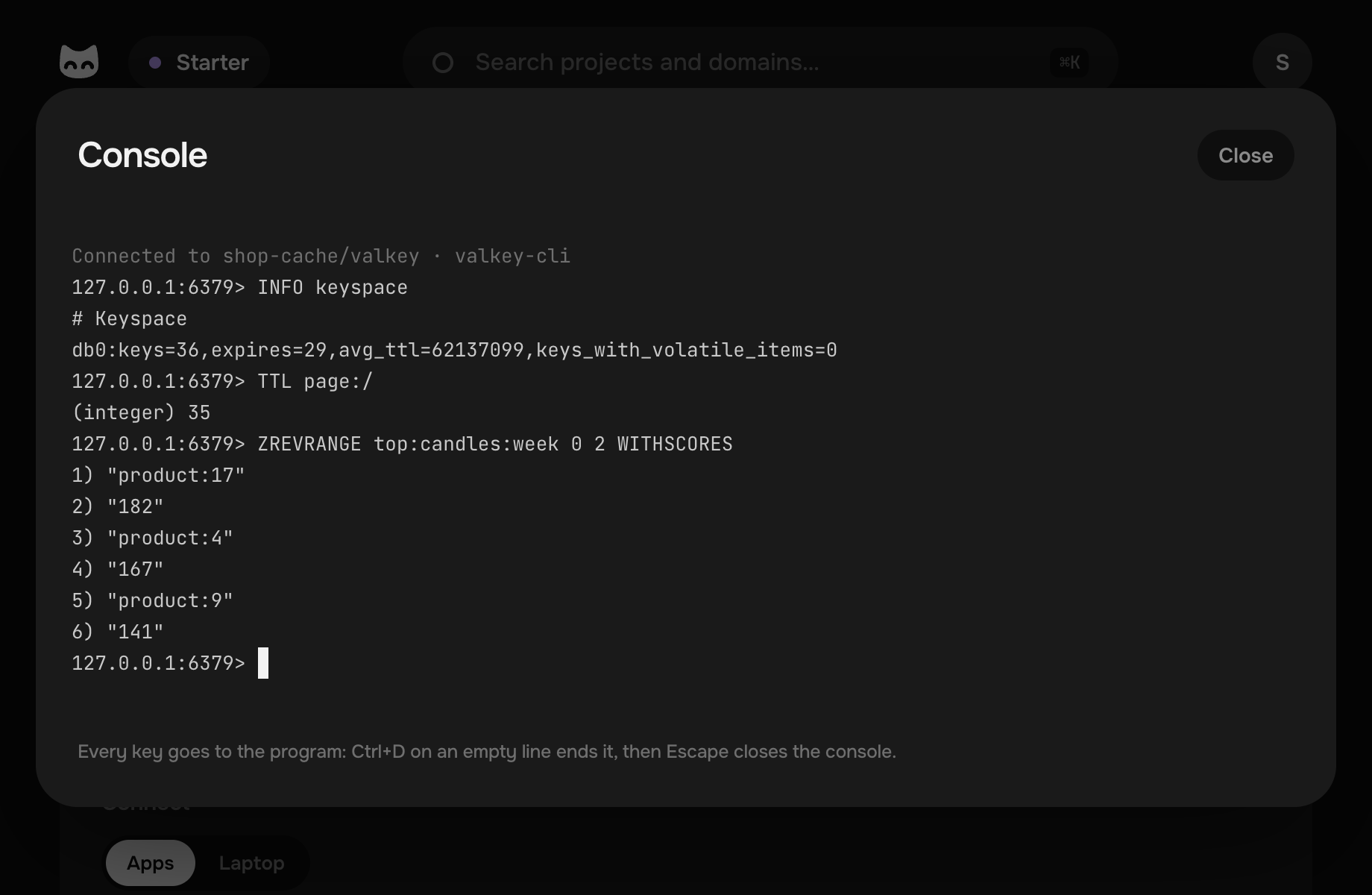
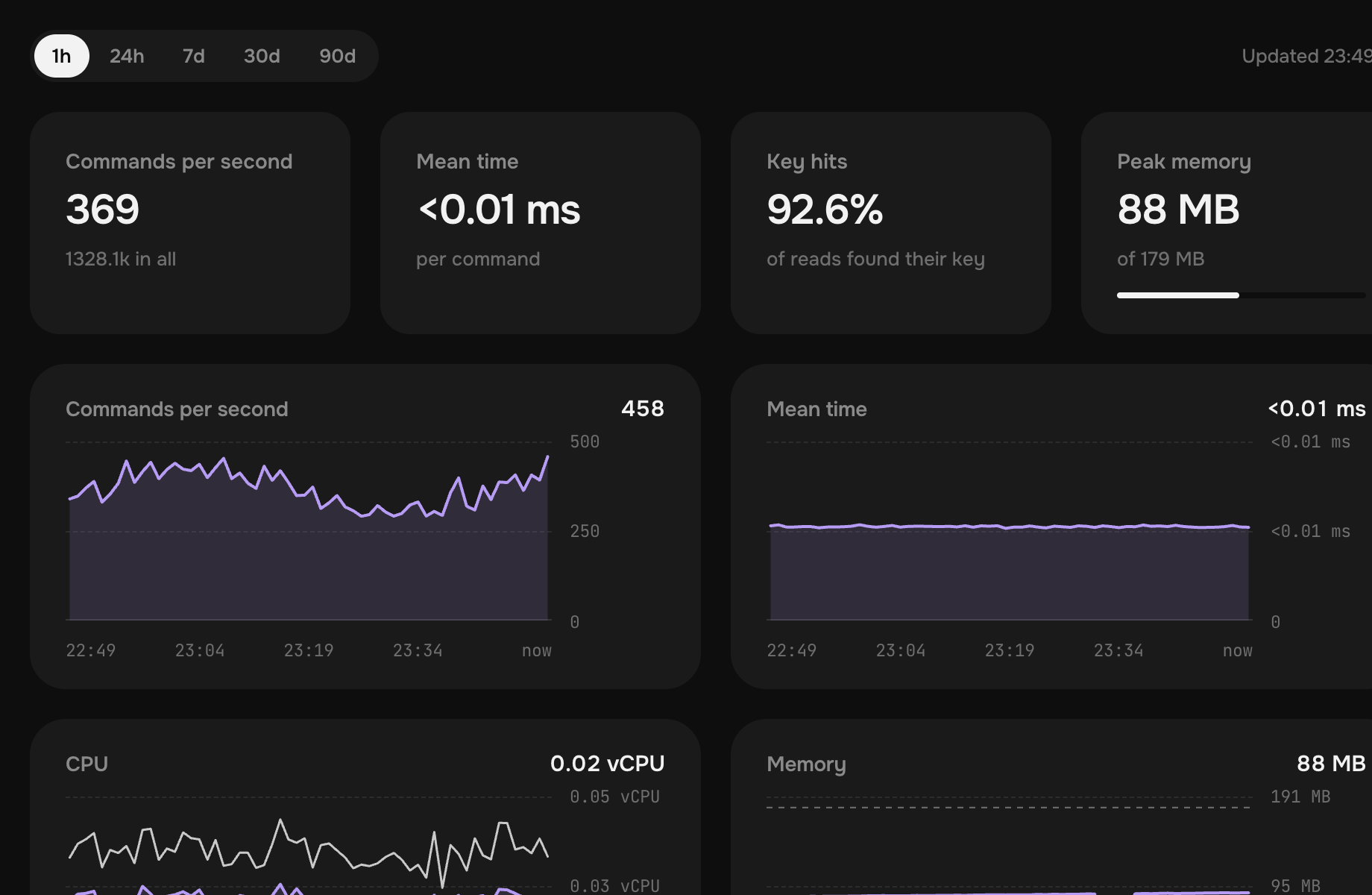
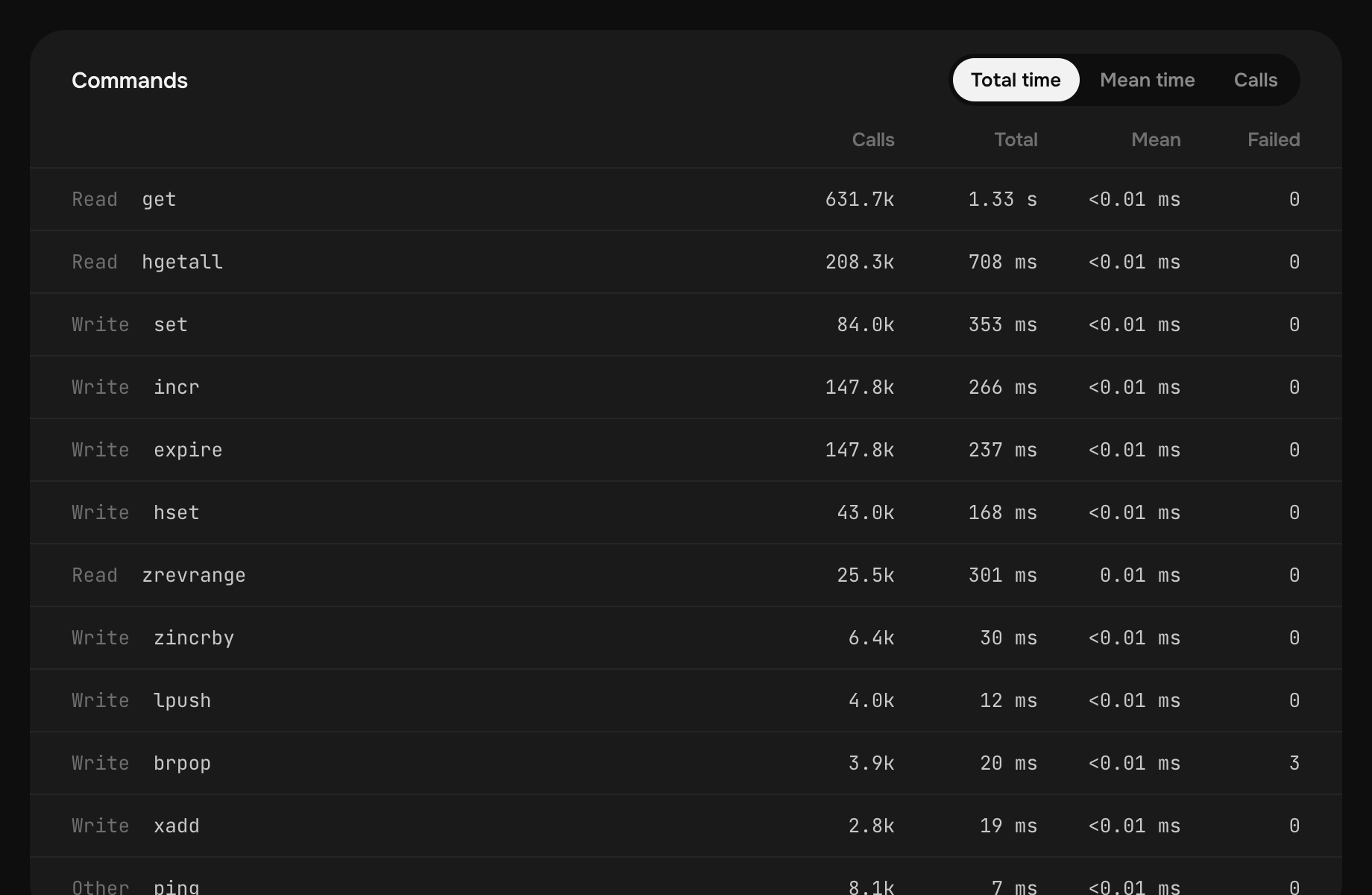
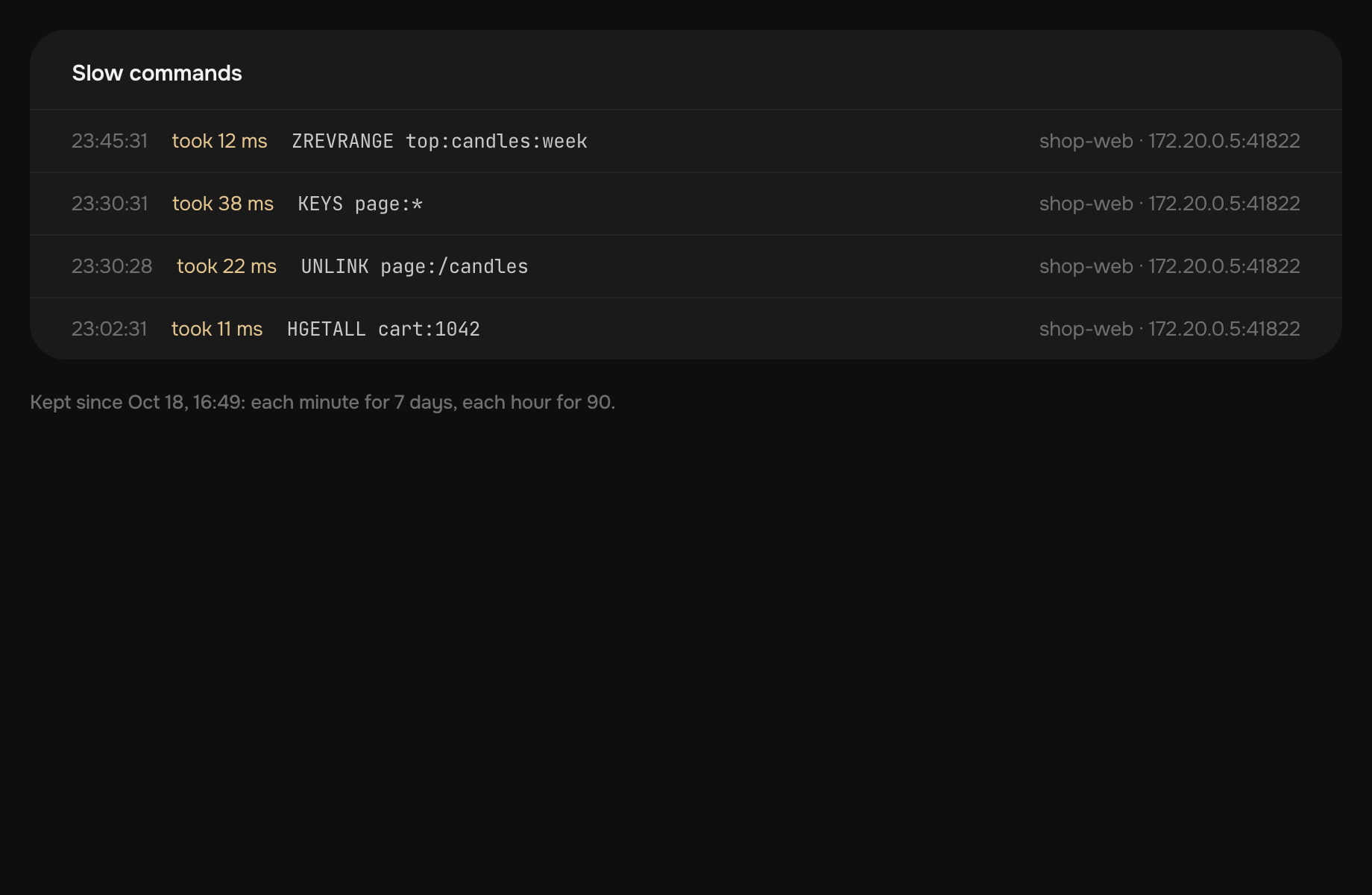
See what it is busy with.
Minute by minute for 7 days and hour by hour for 90, with nothing to set up.
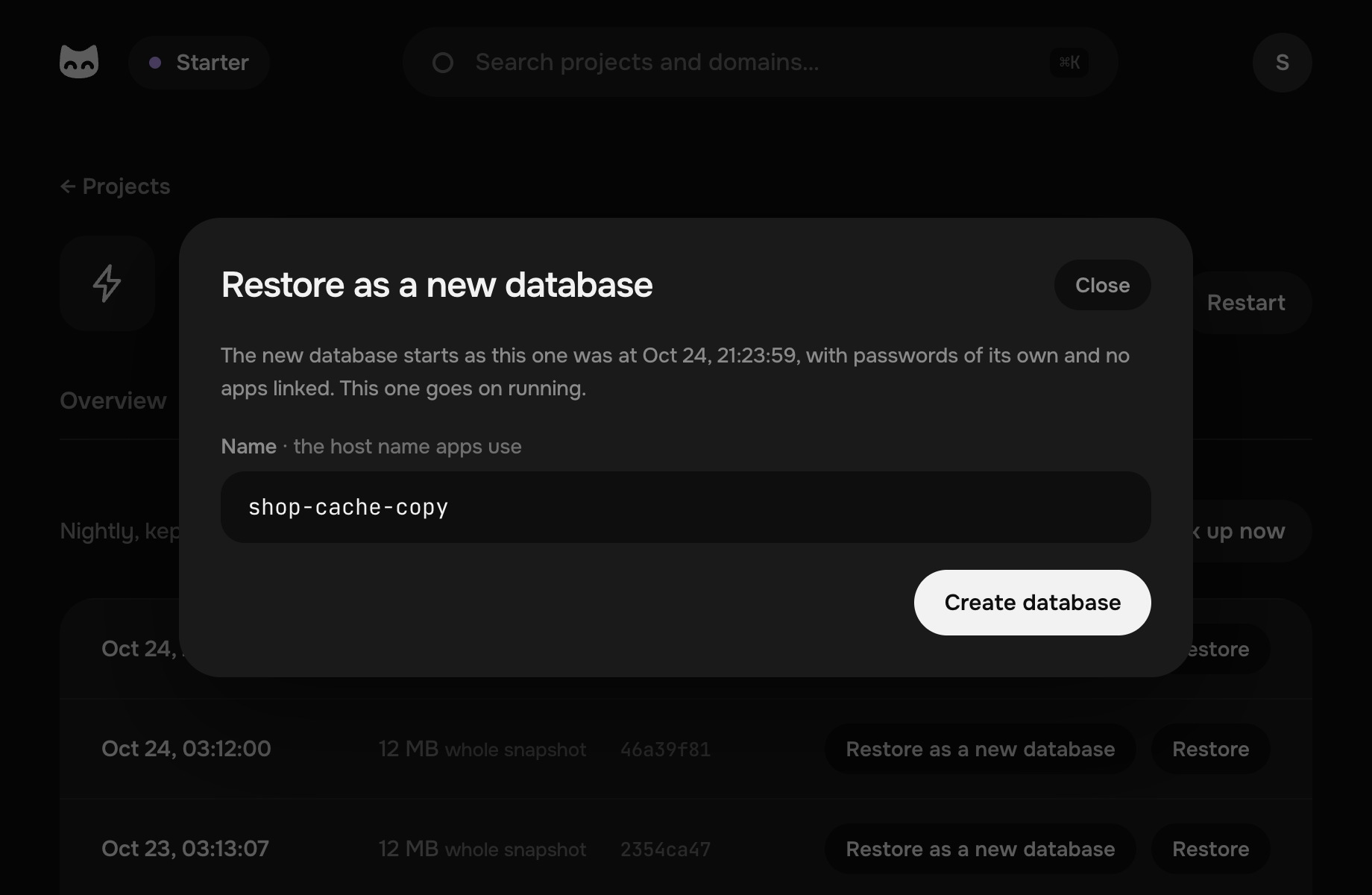
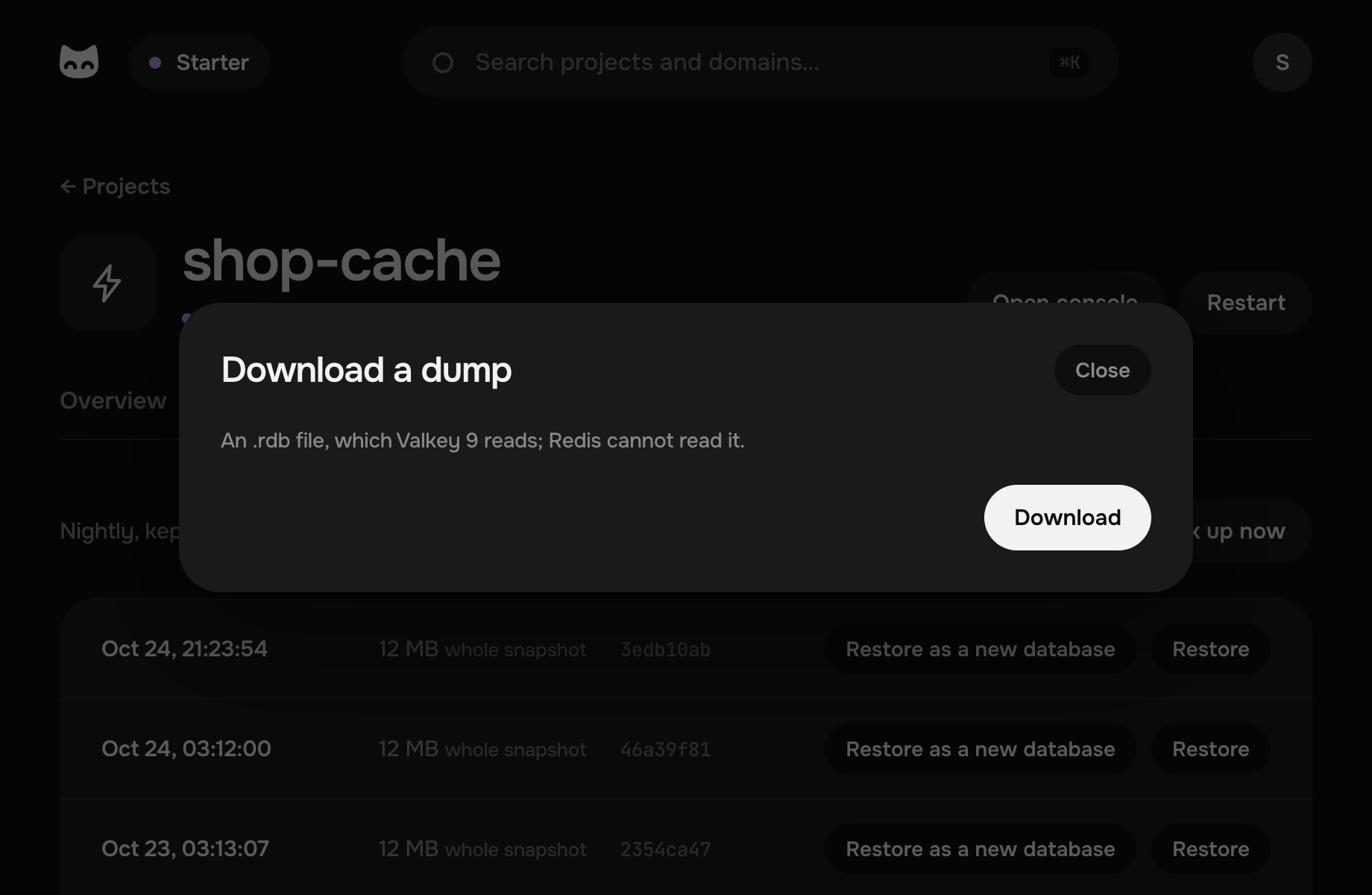
Back to last night in a click.
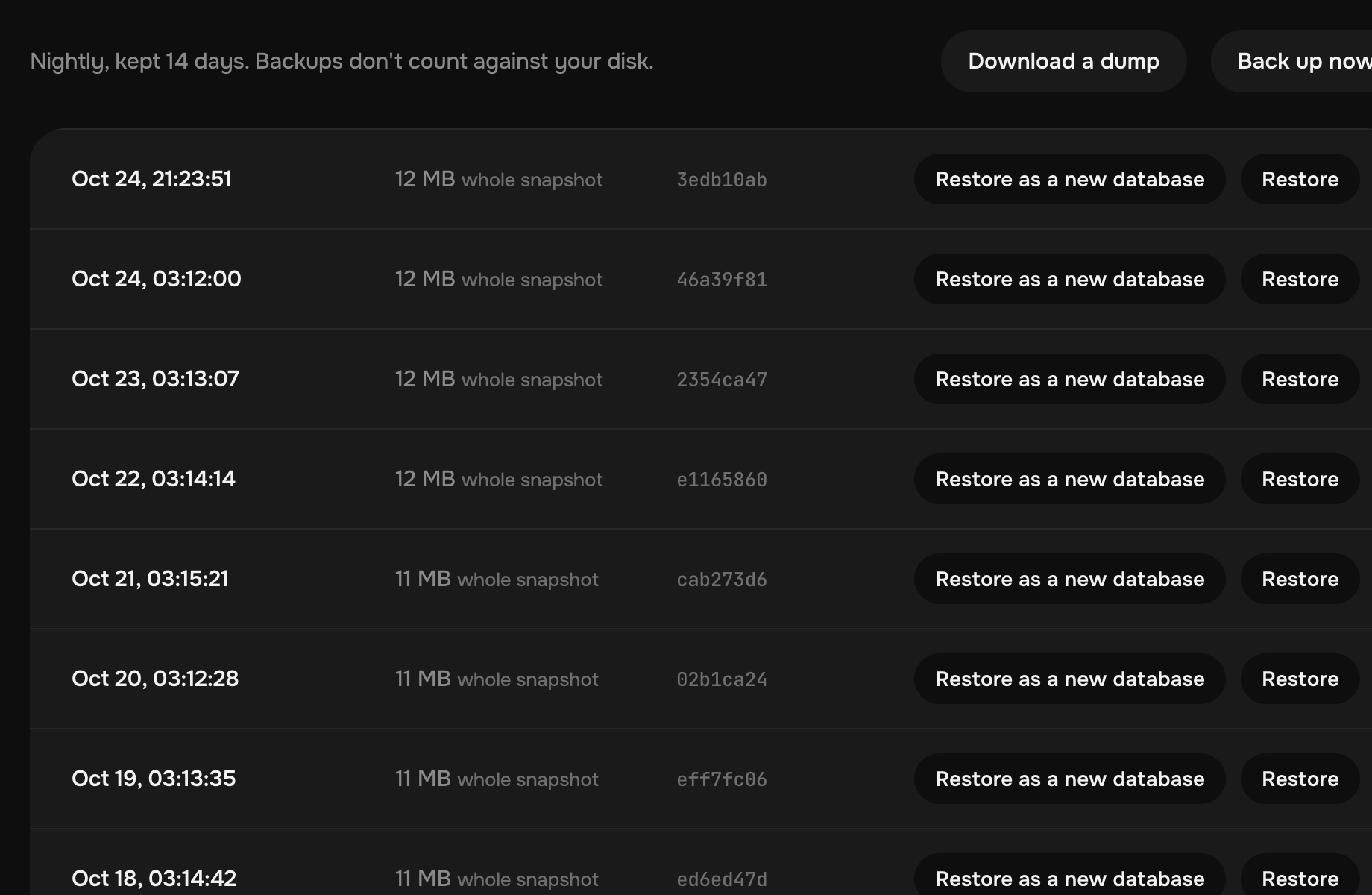
A backup every night, encrypted and stored off the machine, kept for 14 days. Take one more before a risky change.
Your agent sets it up for you.
Pethost's MCP server and skill let it add a Valkey, link your app and look inside with valkey-cli.
- CreateDatabase valkey, linked to shop
- GetProject valkey: how to sign in
- DeployProject shop, with REDIS_URL in its .env
- GetOperation succeeded
Done: the shop keeps its cache in valkey now, and both are in the nightly backup.
- QueryContainerLogs web: OOM command not allowed
- RunServiceCommand valkey-cli: INFO memory
valkey is full: its keys take 179 MB of 179 MB, so new sessions are refused. Shall I give it 512 MB?
- RunProjectAction back_up
- GetOperation succeeded
Backed up. If the release goes wrong, I can restore this one.
A managed Valkey alone costs more elsewhere.
What a Valkey or Redis of 1 GB costs a month at seven providers, beside all of Starter here.
- Pethost Starter · this Valkey and all your apps €9.99
- DigitalOcean Managed Valkey · 1 GB $15.00 ×1.3
- AWS ElastiCache cache.t4g.small · 1.37 GB $18.80 ×1.7
- Render Key Value 1g · 1 GB $20.00 ×1.8
- Upstash Redis Fixed 1GB · 1 GB $20.00 ×1.8
- Redis Cloud Essentials · 1 GB $20.00 ×1.8
- Azure Managed Redis B1 · 1 GB $23.36 ×2.1
- Google Cloud Memorystore shared-core-nano · 1.4 GB $23.77 ×2.1
A year at the others costs more by €41 – €135
Billed on top of theirs: the traffic out past an allowance at AWS and Render, and between zones at AWS and Google Cloud; a public IPv4 address at AWS. At Azure, keeping the data on disk takes a second node, which is billed too.
Each price is the provider's own, read on : its least plan with 1 GB of memory or more, a single node, on demand, before tax, in its lowest-priced region (N. Virginia at AWS and Redis Cloud, East US at Azure, Iowa at Google Cloud), with the persistence it sells: a snapshot at AWS, the append-only file at Google Cloud, none on one node at Azure. An hourly price is counted for 730 hours. Euros and dollars are compared at the European Central Bank's rate, €1 = $1.1193.
Questions about Valkey on Pethost
Does a database cost extra?
No. Make as many as fit in your machine's memory: the plan's price stays the same every month.
Is it the same as Redis?
Valkey is the open-source fork of Redis 7.2, kept by the Linux Foundation: the same commands and the same protocol, so Redis's clients and libraries work with it. This one is Valkey 9, on the official valkey/valkey image.
How big can it be?
Its memory is your pick, from 256 MB up to two thirds of your machine's: 2 GB on Starter, 4 GB on Grow, 20 GB on Scale. 70% of it holds keys, and the rest leaves room to save them to disk.
What happens when it is full?
A write that needs more memory is refused with an error, and no key is dropped, so no session or job is lost to make room. For a cache whose old keys may go, add --maxmemory-policy allkeys-lru to its command in compose.yaml and deploy it.
Does it keep its keys when it restarts?
Yes. Each write goes to an append-only file on the machine's disk within a second, and Valkey reads the file back when it starts. Every night a backup also goes off the machine, kept for 14 days.
Can I reach it from the internet?
Not unless you open it: your apps on the machine and your laptop reach it without that. To open it, publish its port in its compose.yaml, and Connect shows its address.
Can I use valkey-cli or redis-cli from my laptop?
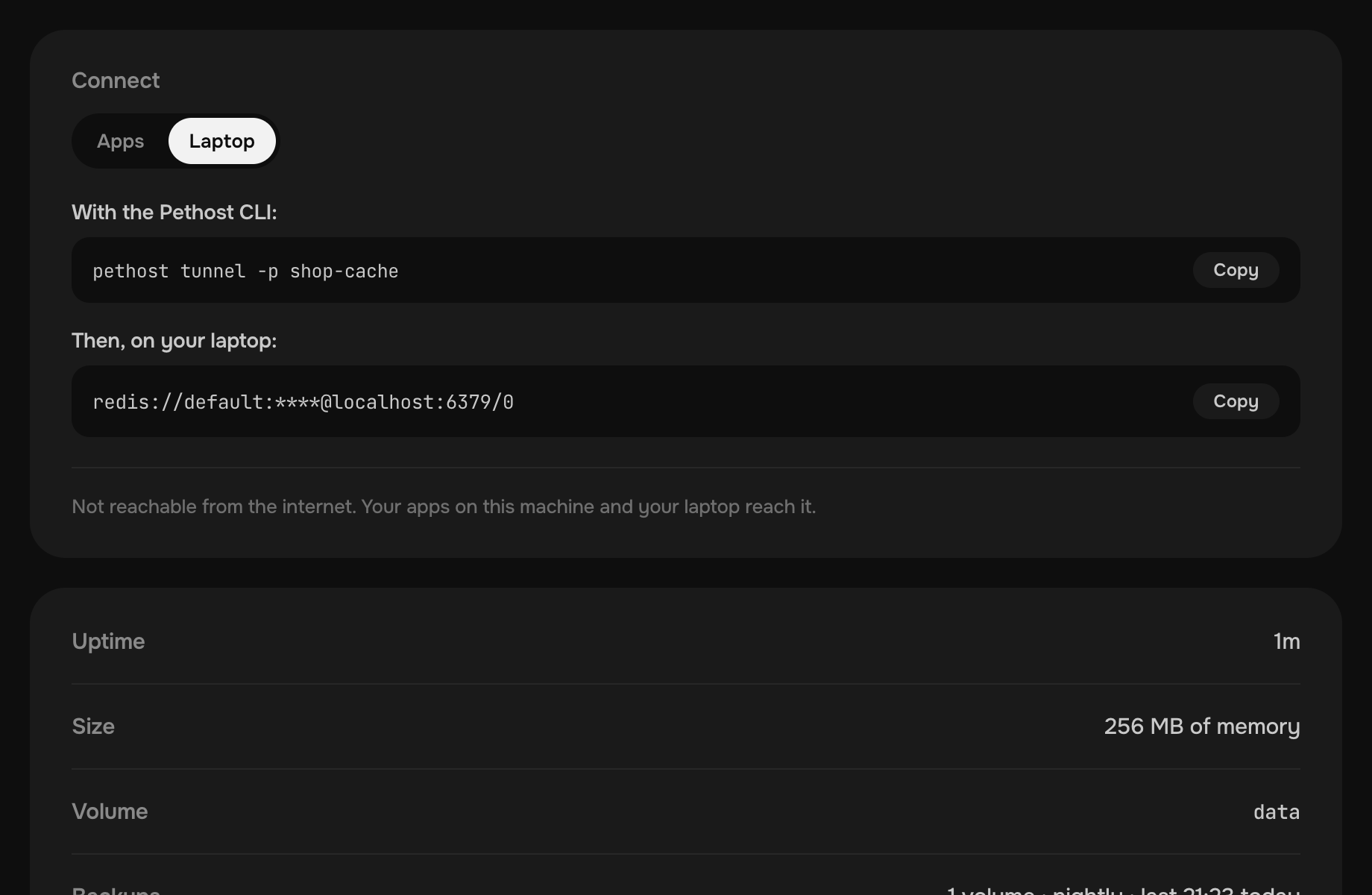
Yes. pethost tunnel -p valkey puts it on localhost:6379 over SSH, and Connect shows the URL to paste.
Does it refuse any command?
Only those that would change its users, make it a replica or stop it, such as ACL, REPLICAOF, MODULE, DEBUG and SHUTDOWN: the machine looks after those. Everything else works, Lua scripts and transactions included.