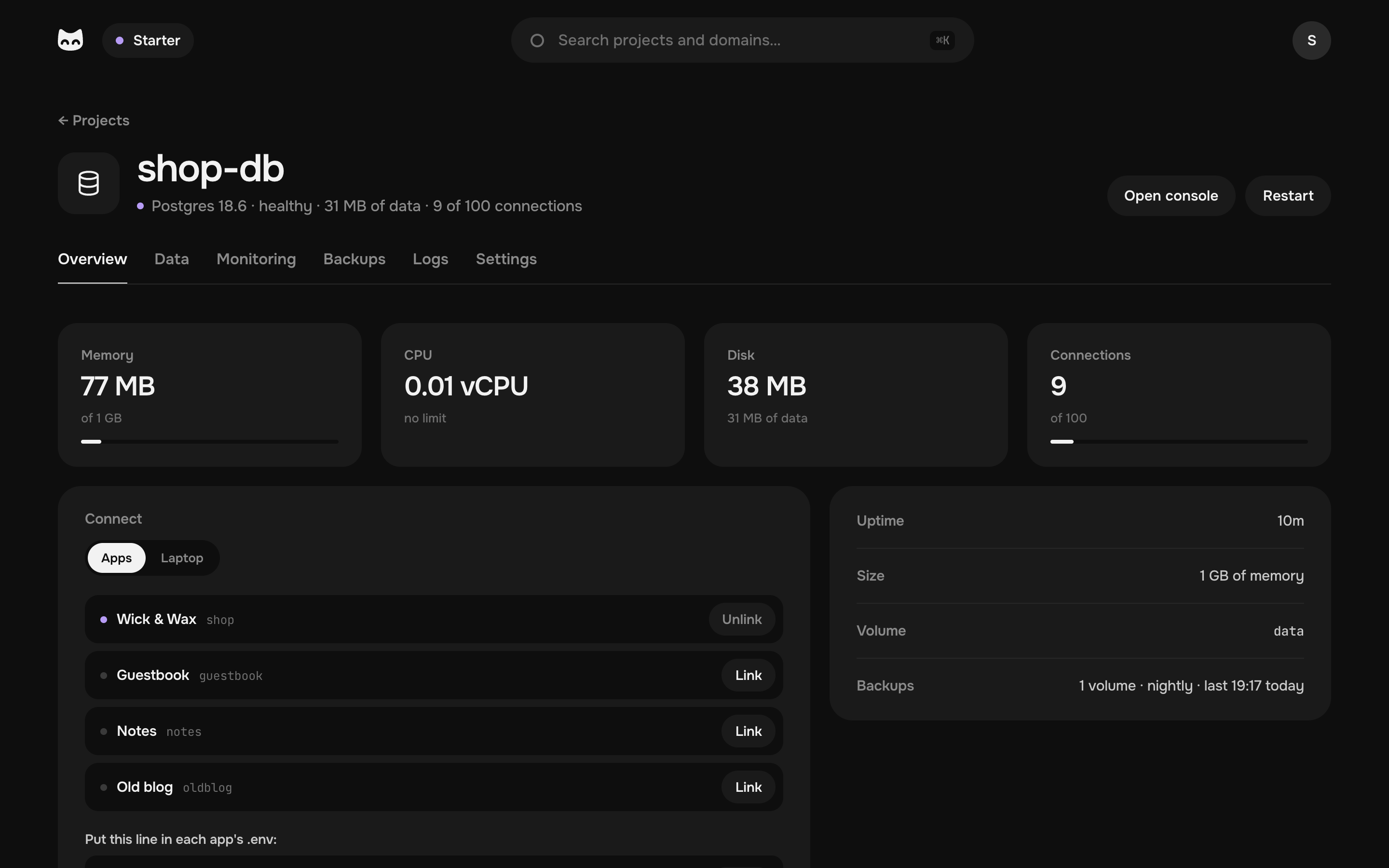
Managed Postgres in one click, at no extra cost.
It runs on your machine beside your apps, sized and tuned for you. Link an app, edit the data in the browser, see what slows it down, and get a backup every night.
From €9.99 a month for the machine and all your projects, with no fee per database.
Add a Postgres for my shop.
I'll create shop-db, link it to the shop and give the shop its URL.
- Creating shop-db
- Deploying shop
Done: the shop keeps its data in shop-db now, and both are in the nightly backup.
Ready in a minute.
Pick Postgres in New project, give it a name and a size. The machine writes its files, starts it and watches it.
- Tuned to its sizeFrom 256 MB up to two thirds of your machine's memory. Its buffers, cache and connections are set for that size.
- Private from the startNo port open to the internet: only the apps you link and your laptop reach it.
- Plain Postgres in a file you can readThe official image with pg_stat_statements on, in a compose.yaml that explains itself.
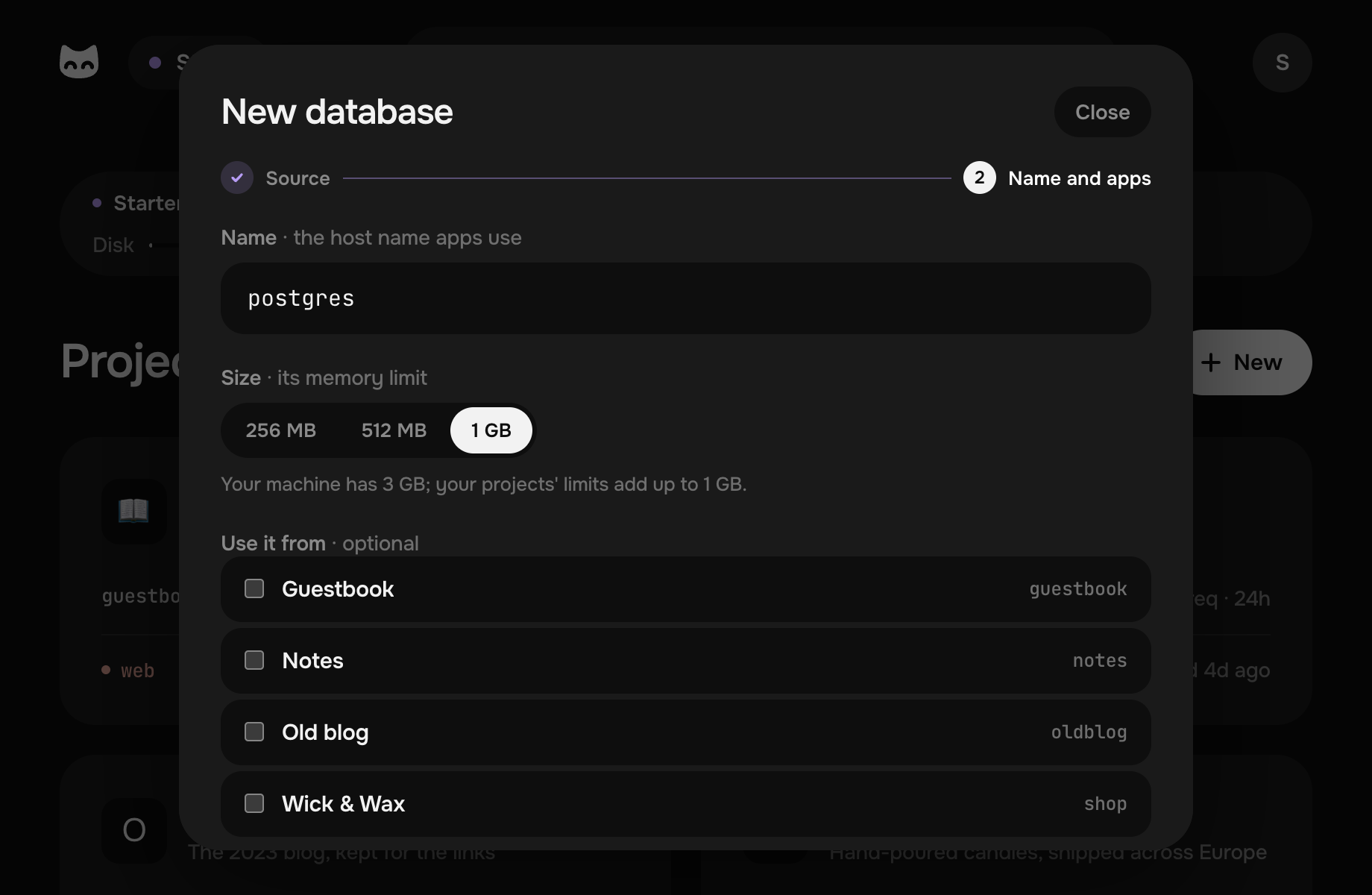
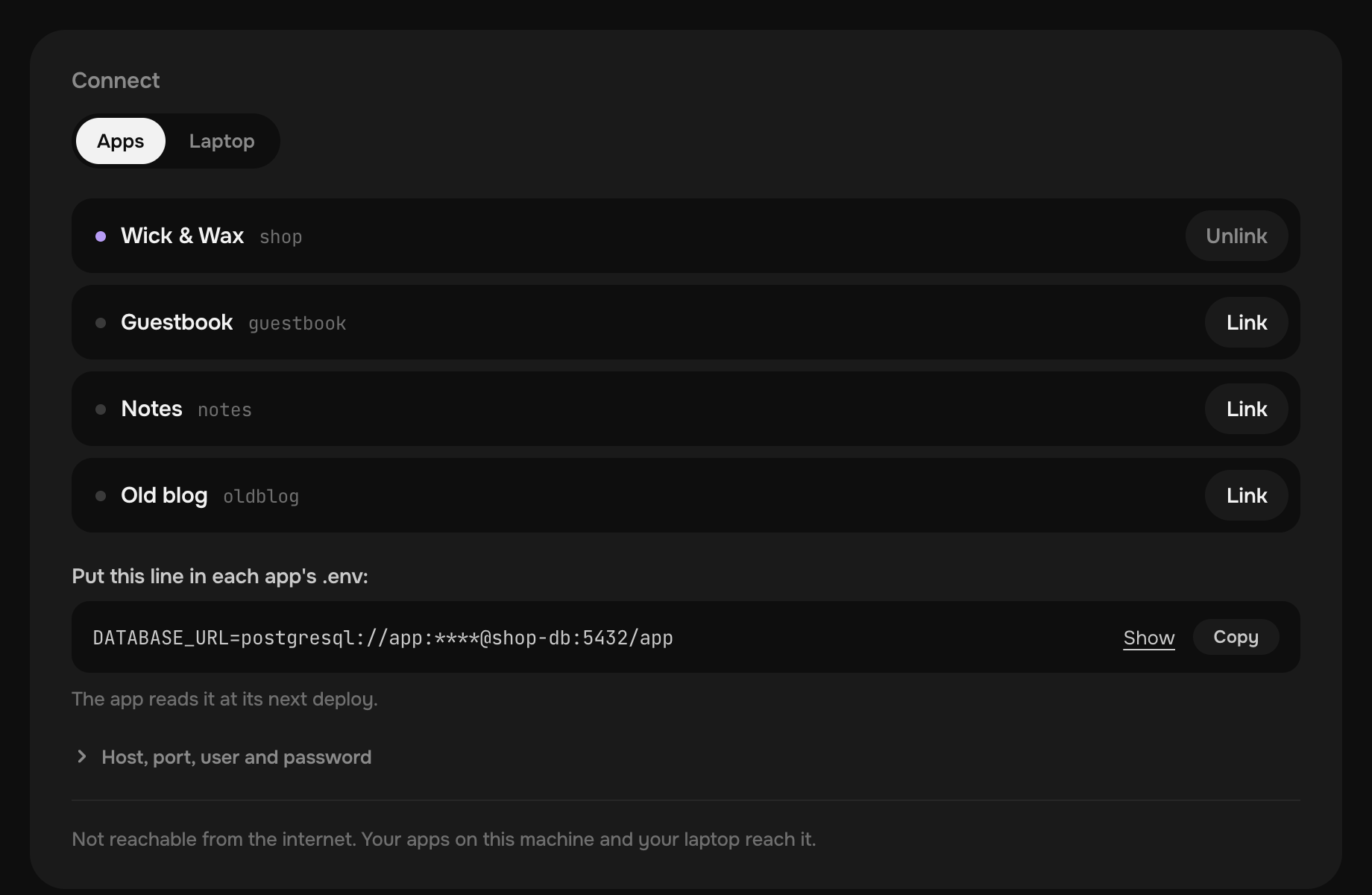
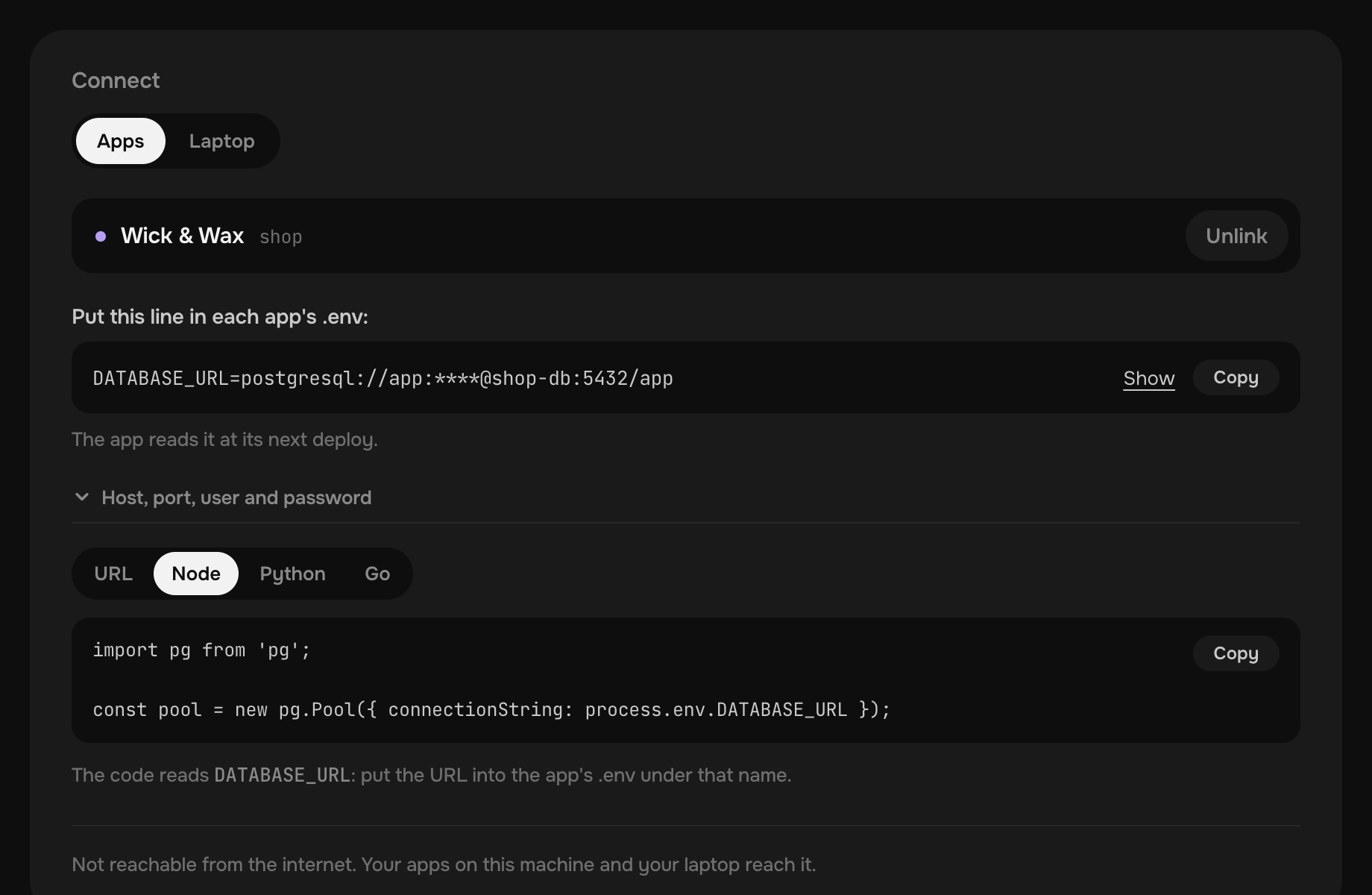
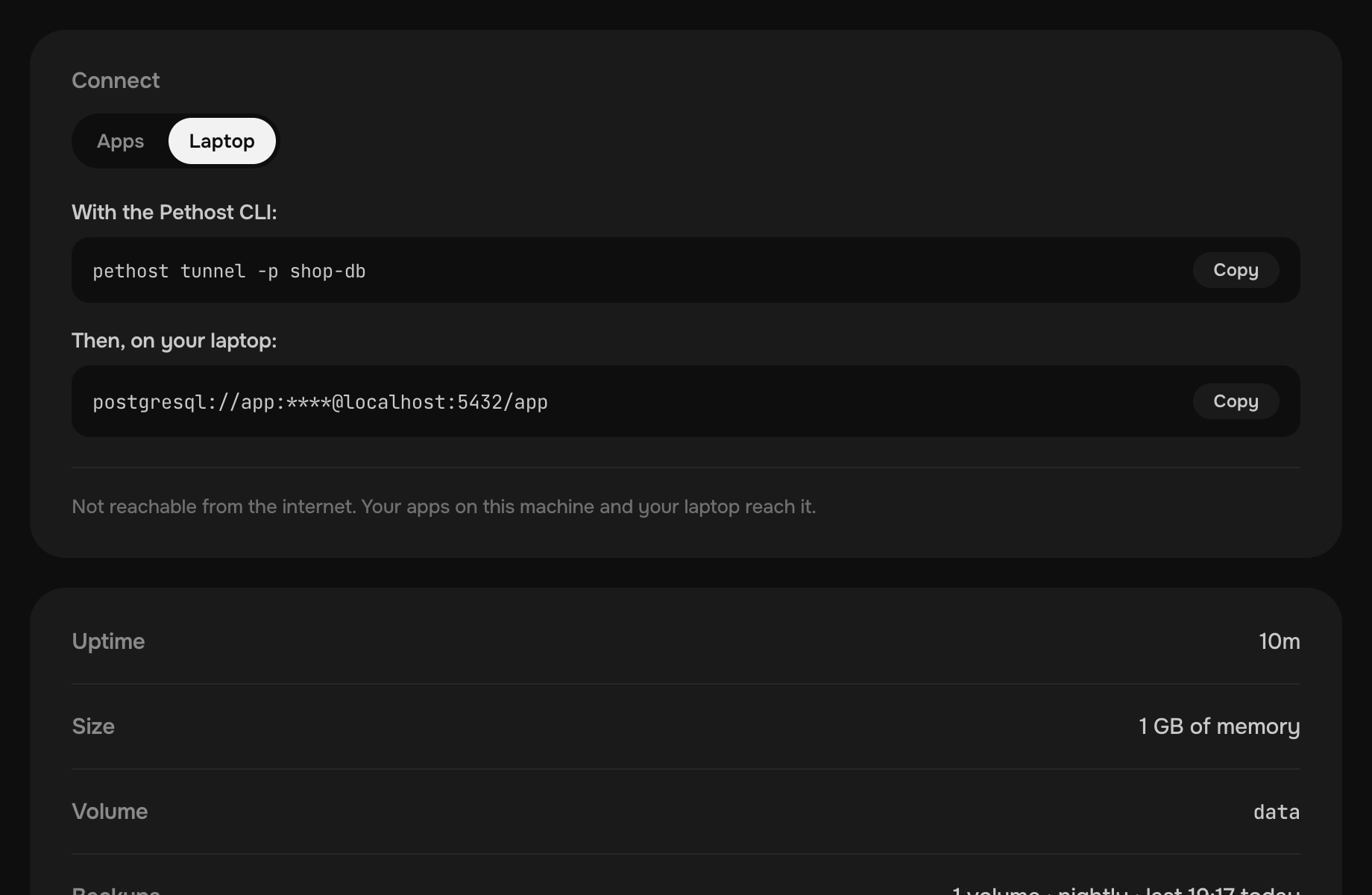
Your apps connect by a link.
Link an app, and it reaches the database by its name. Put one line in its .env, or let your agent do it.
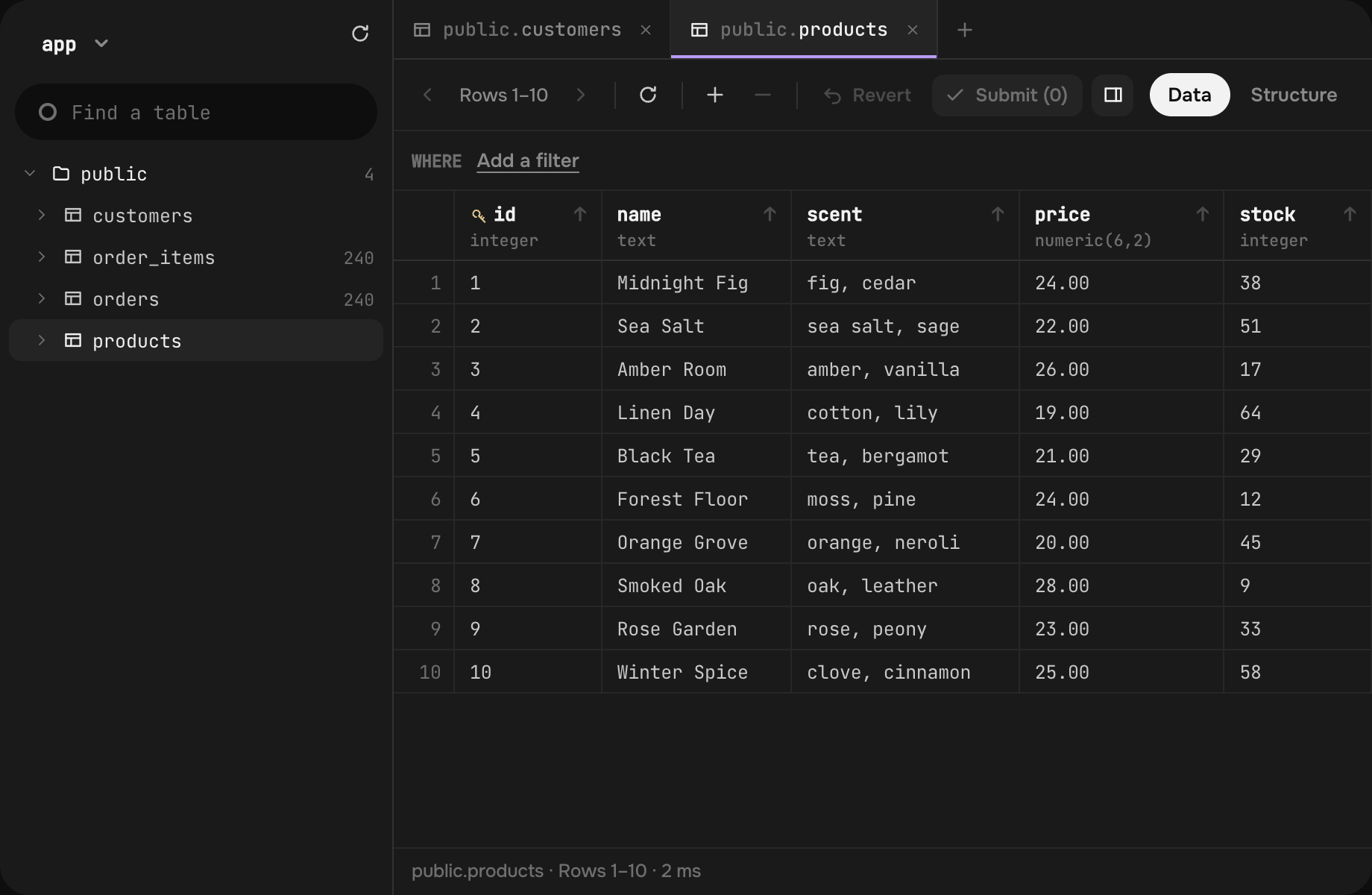
Edit it in the browser.
Tables, rows and SQL, as in a desktop database tool, with nothing to install and no port to open.
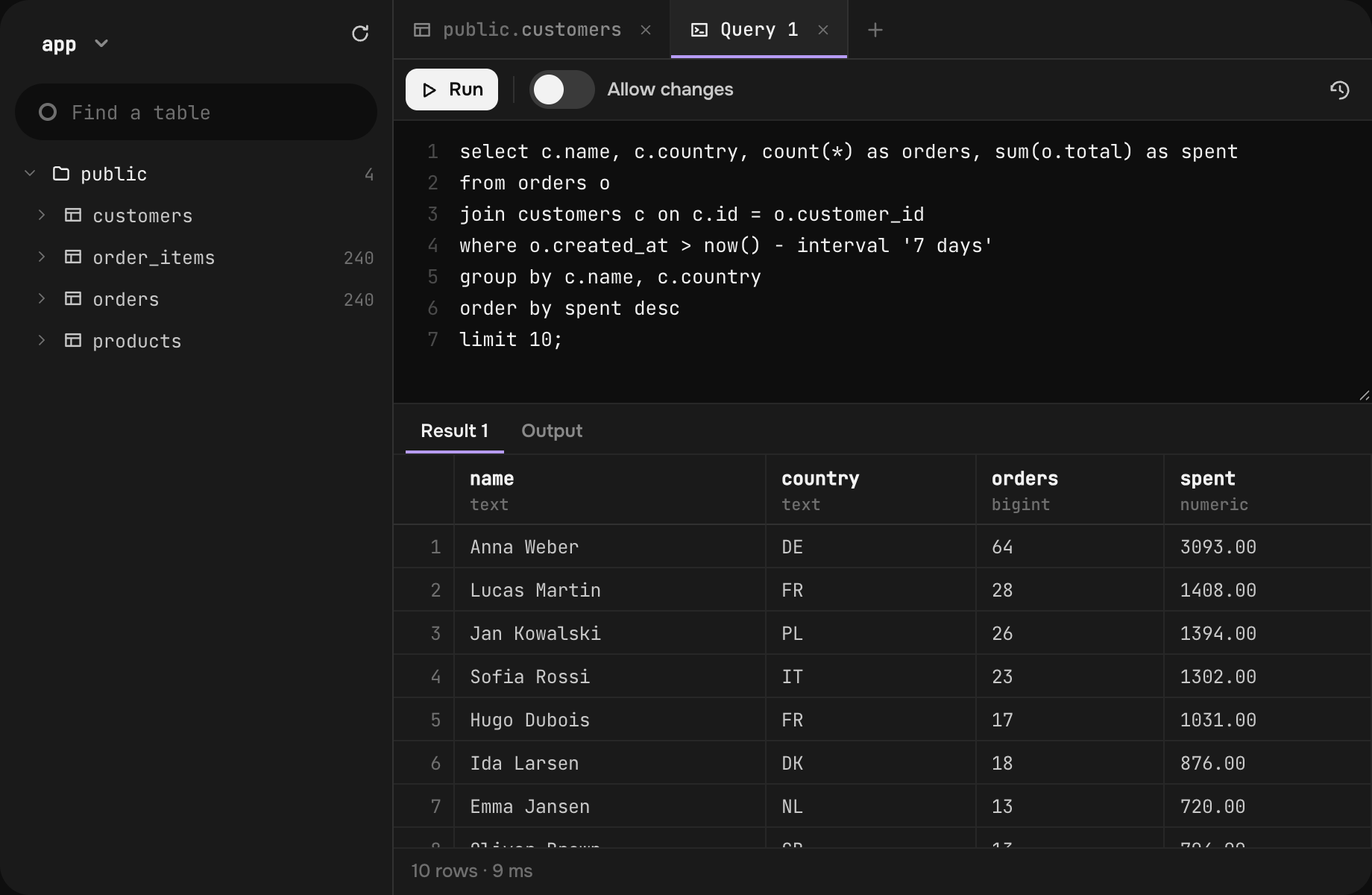
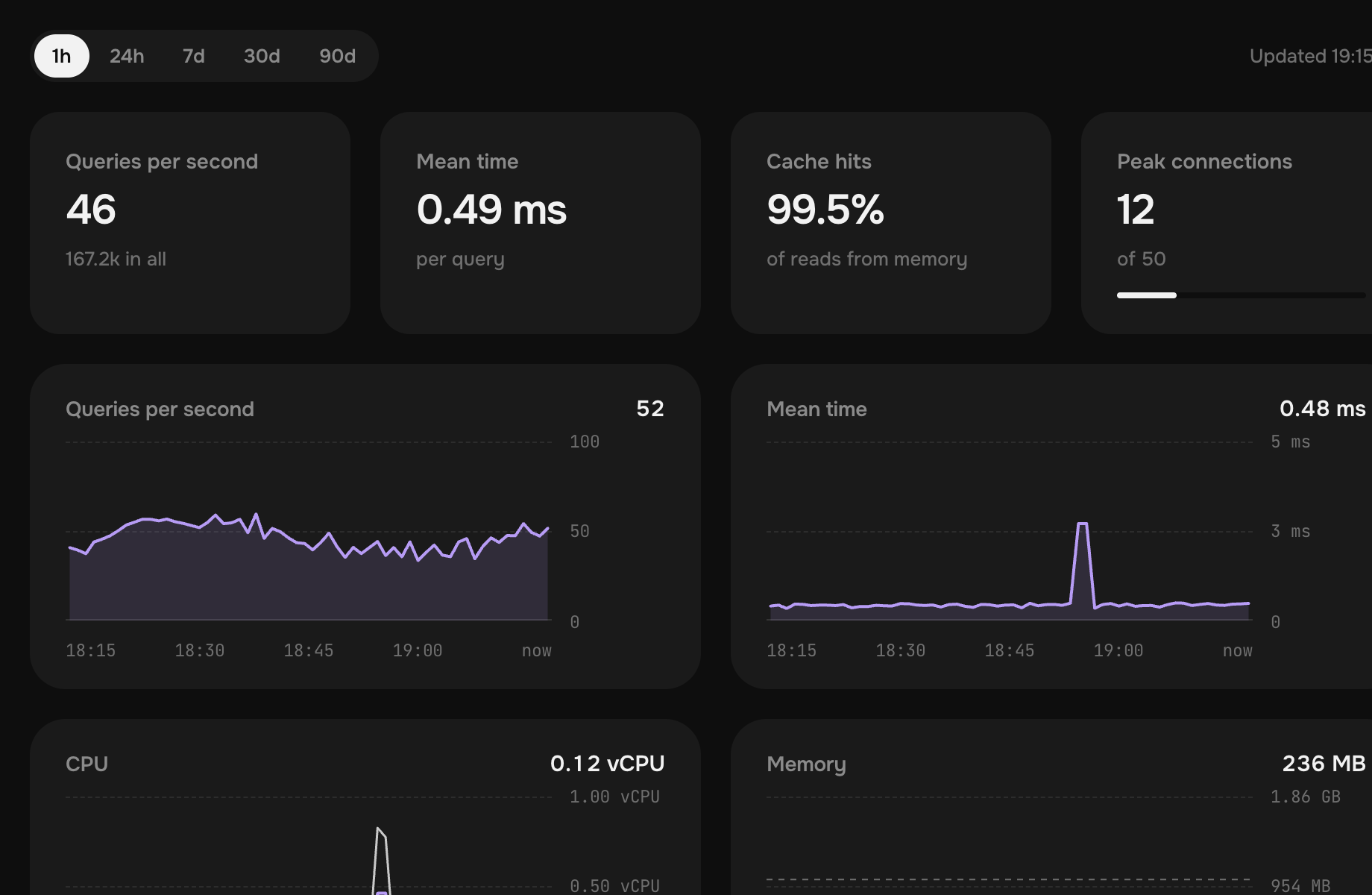
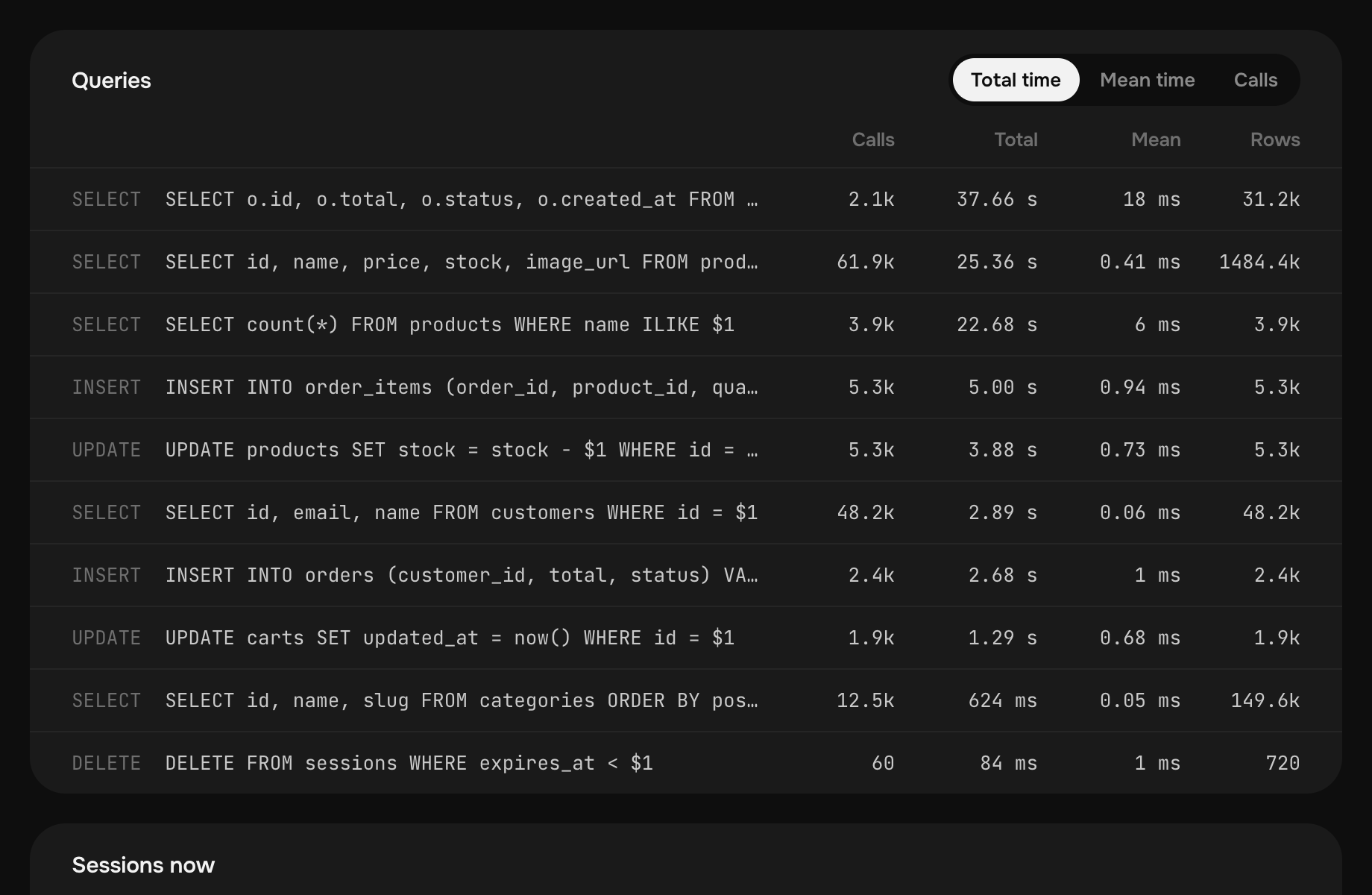
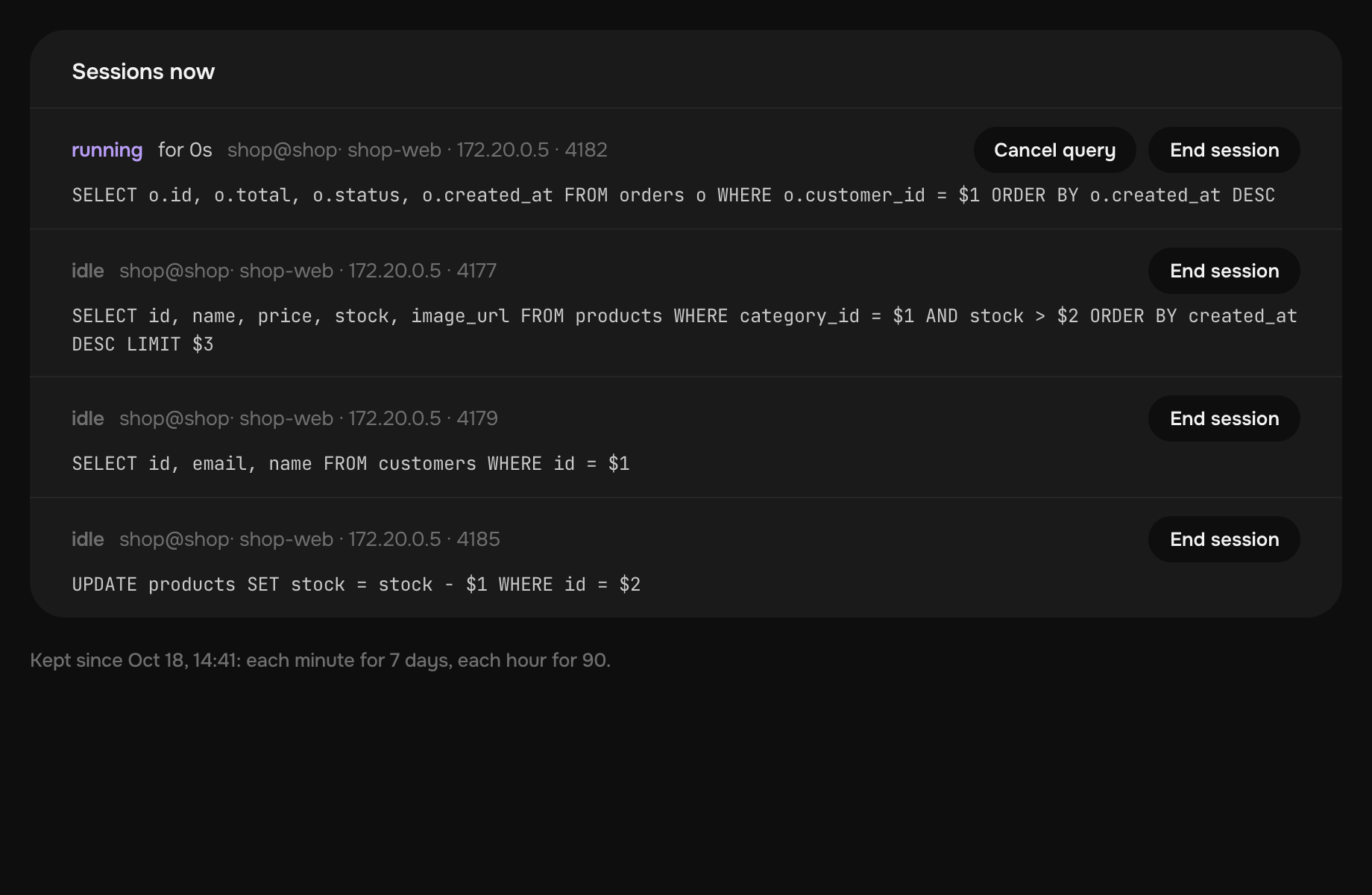
See what slows it down.
Minute by minute for 7 days and hour by hour for 90, with nothing to set up.
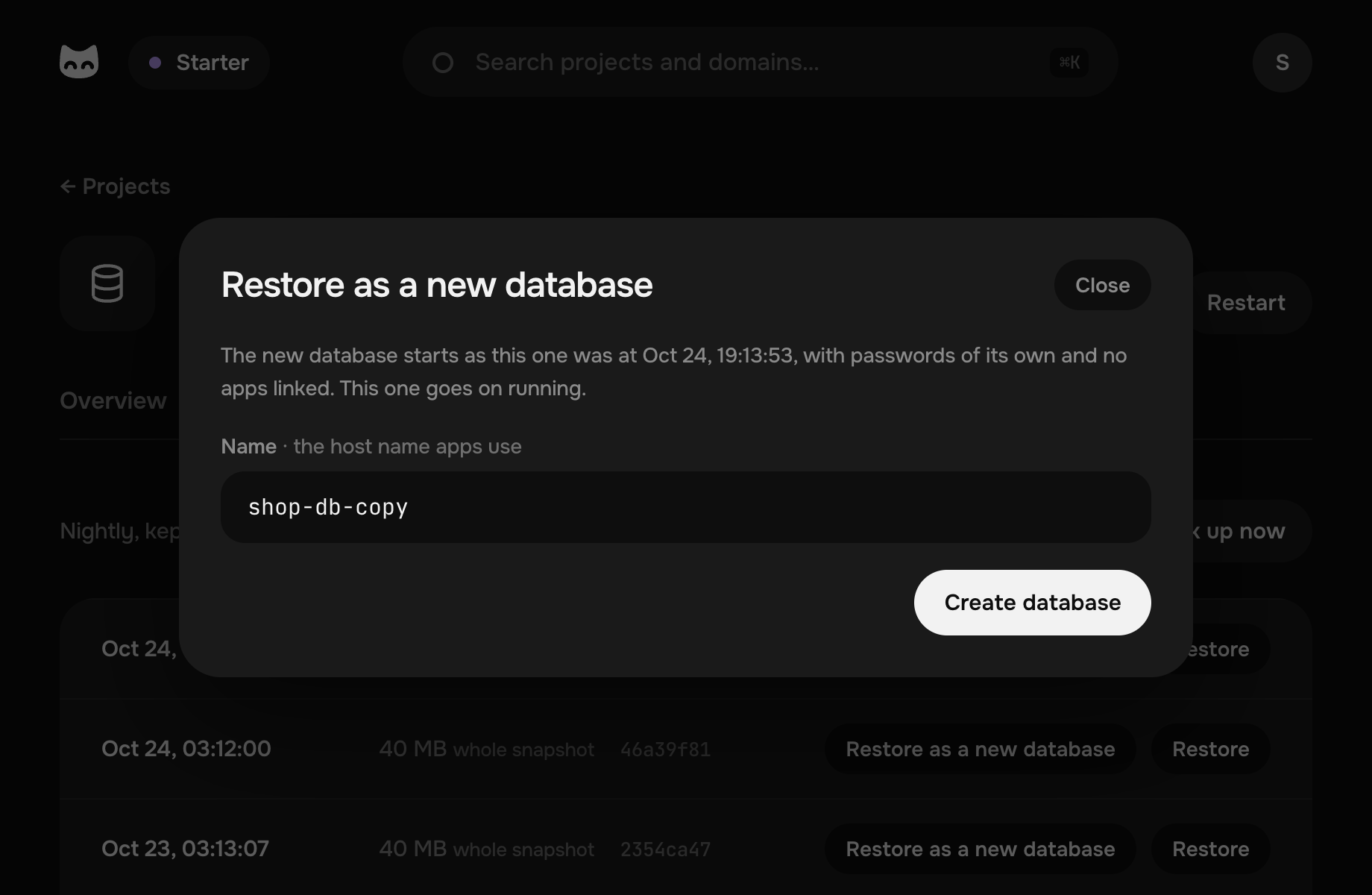
Undo a bad migration.
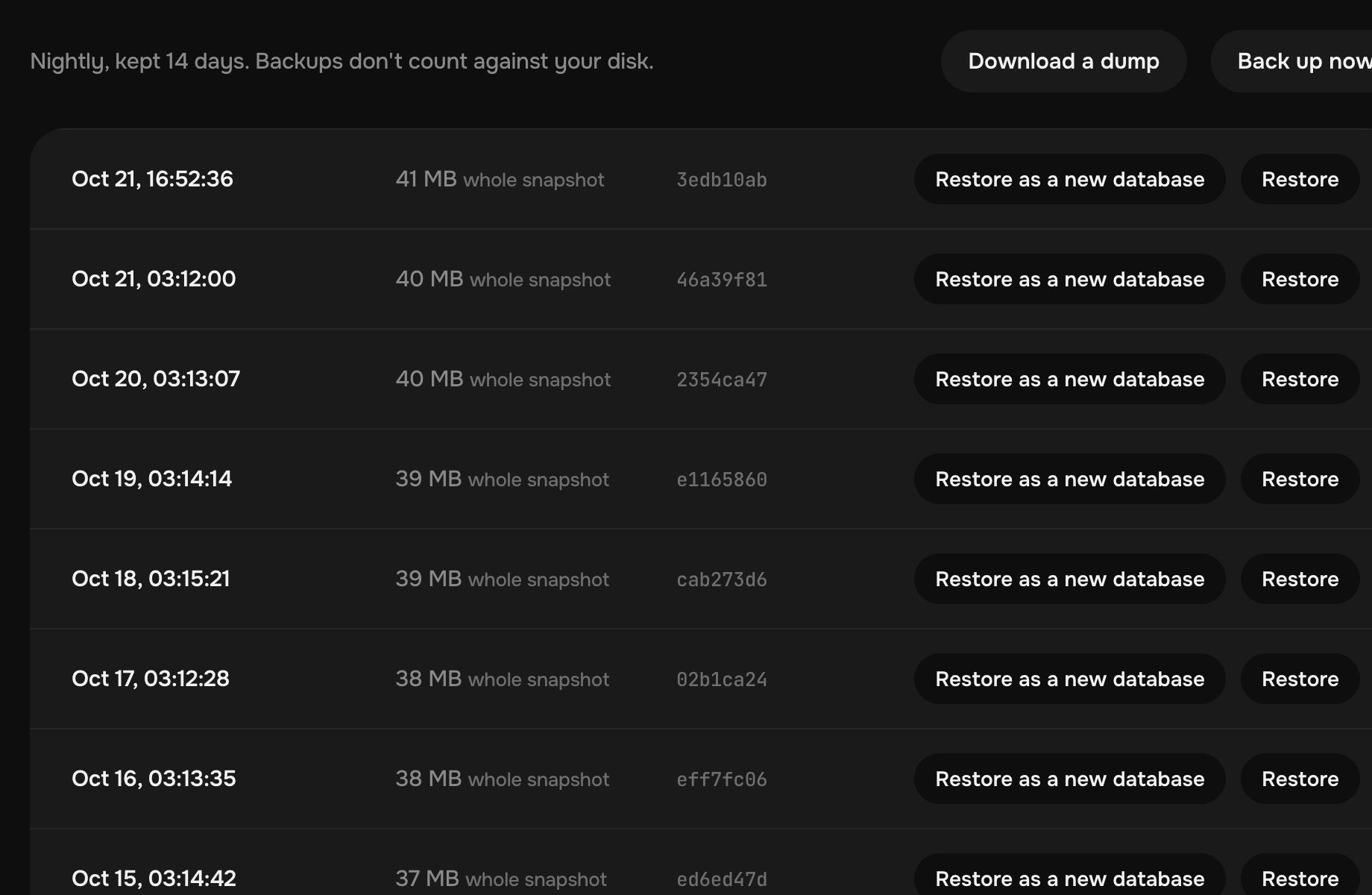
A backup every night, encrypted and stored off the machine, kept for 14 days. Take one more before a risky change.
Your agent knows its way around it.
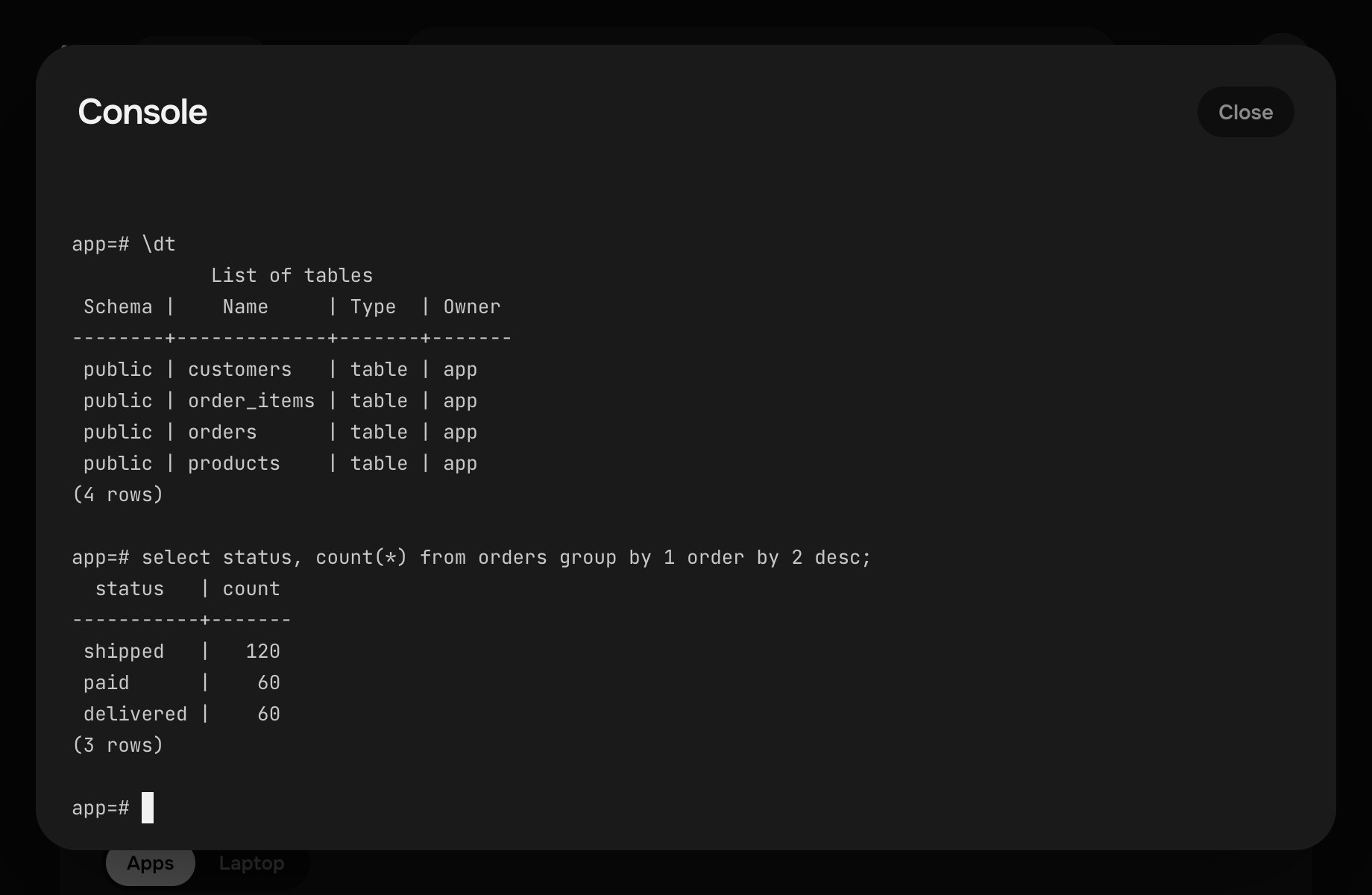
Pethost's MCP server and skill let it create a database, link your app and look inside with psql.
- CreateDatabase postgres, linked to recipes
- GetProject postgres: how to sign in
- DeployProject recipes, with DATABASE_URL in its .env
- GetOperation succeeded
Done: recipes keeps its data in postgres now, and both are in the nightly backup.
- QueryHttpTraffic /orders takes 1.2 s
- RunServiceCommand psql: the slowest statements
- ReadPath /src/orders.ts
One query takes 840 ms: orders has no index on customer_id. Shall I add one?
- RunProjectAction back_up
- GetOperation succeeded
Backed up. Change the schema: I can restore this one.
Everything else a database needs.
Alerts when it stops
A crash, a lack of memory or a failed health check, by email, Telegram or Slack.
Its logs and a shell
Postgres's log in the panel, and ssh into its container from your terminal.
As many as fit
No fee per database: one for each app, MariaDB for an app made for MySQL, and Valkey beside them for a cache or a queue.
A managed Postgres alone costs more elsewhere.
What a Postgres of 2 GB costs a month at eight providers, beside all of Starter here.
- Pethost Starter · this Postgres and all your apps €9.99
- Azure Flexible Server B1ms · 2 GB $16.09 ×1.4
- AWS RDS db.t4g.small · 2 GB $25.66 ×2.3
- Supabase Pro · Small · 2 GB $30.29 ×2.7
- DigitalOcean Managed PostgreSQL · 2 GB $30.45 ×2.7
- Railway Metered, in full use · 1 vCPU · 2 GB $41.58 ×3.7
- Neon Launch · 0.5 CU · 2 GB $42.19 ×3.8
- Render Postgres 1c-2g · 2 GB $43.00 ×3.8
- Google Cloud Cloud SQL db-custom-1-3840 · 1 vCPU · 3.75 GB $51.01 ×4.6
A year at the others costs more by €53 – €427
Billed on top of theirs: the traffic out past an allowance, at all but DigitalOcean; a public IPv4 address at AWS and Google Cloud, and for a direct connection at Supabase; the backups' storage at AWS, Google Cloud and Railway.
Each price is the provider's own, read on : its least plan with 2 GB of memory or more, a single node, on demand, before tax, in its lowest-priced region (Iowa at Google Cloud), with 10 GB of storage, or its least where that is more: 20 GB at AWS, 30 GB at DigitalOcean, 32 GB at Azure. An hourly price is counted for 730 hours, and Railway's with a vCPU in use all month. Euros and dollars are compared at the European Central Bank's rate, €1 = $1.1193.
Questions about Postgres on Pethost
Does a database cost extra?
No. Make as many as fit in your machine's memory: the plan's price stays the same every month.
Which Postgres is it?
PostgreSQL 18, on the official postgres:18-alpine image, with pg_stat_statements on. Any driver, ORM or tool that works with Postgres works with it.
How big can it be?
Its memory is your pick, from 256 MB up to two thirds of your machine's: 2 GB on Starter, 4 GB on Grow, 20 GB on Scale. Its data is on your machine's disk, which your projects share: 30, 60 or 200 GB.
Can I reach it from the internet?
Not unless you open it: your apps on the machine and your laptop reach it without that. To open it, publish its port in its compose.yaml, and Connect shows its address.
Can I use psql, DataGrip or TablePlus from my laptop?
Yes. pethost tunnel -p postgres puts it on localhost:5432 over SSH, and Connect shows the URL to paste.
How do I move my database here?
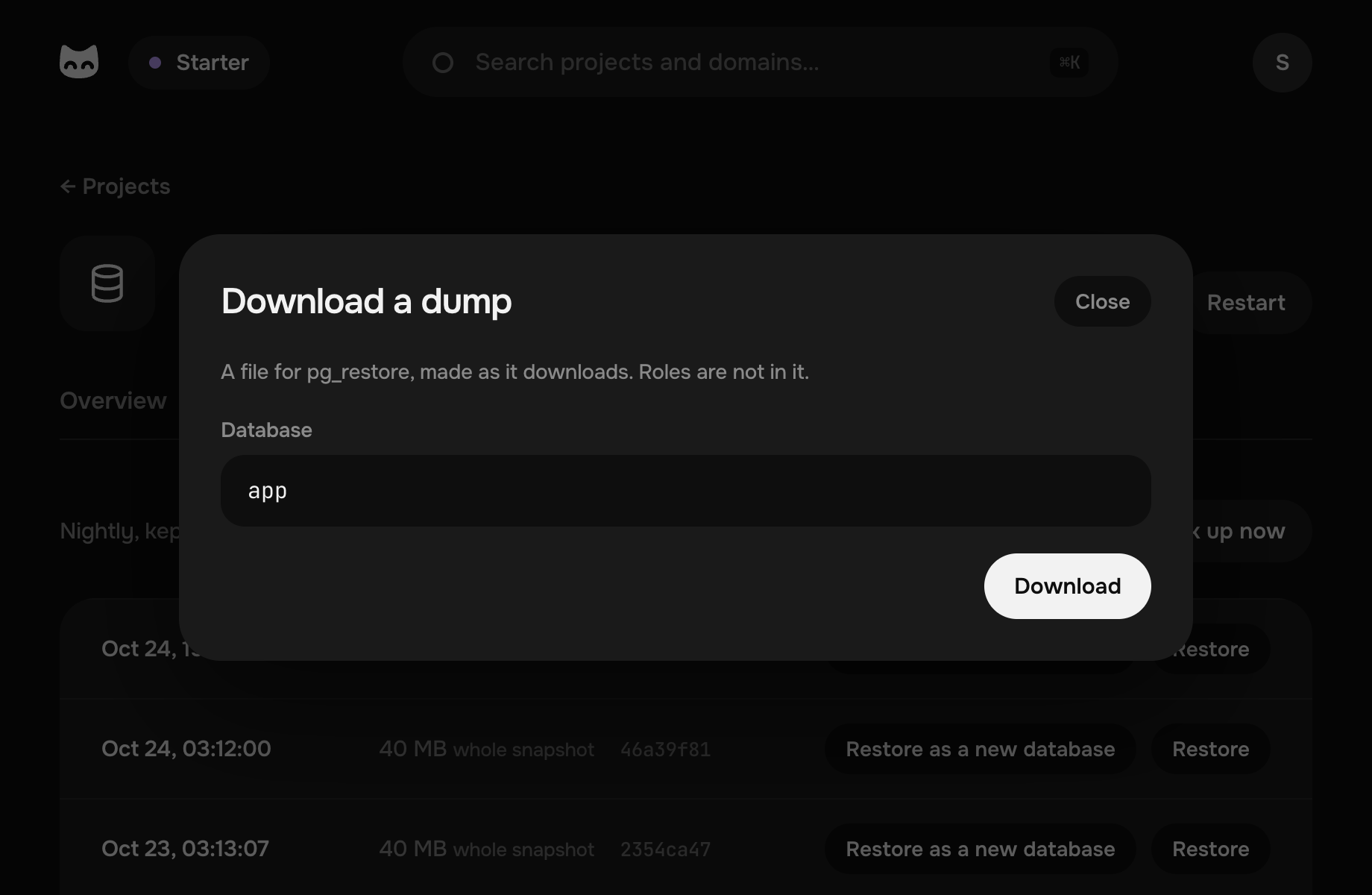
Dump the old one with pg_dump, then load the file with pg_restore through the tunnel from your laptop. Your agent can do both for you.
How are its backups made?
Every night the machine takes a snapshot of the database's volume, encrypts it and stores it off the machine for 14 days, and you can take one more at any time. Restoring one is like a restart after a power cut, which Postgres is made for.
Can I add extensions?
Yes, the ones that come with Postgres, such as pg_trgm, pgcrypto, citext, hstore and uuid-ossp: your app's user adds them with CREATE EXTENSION.